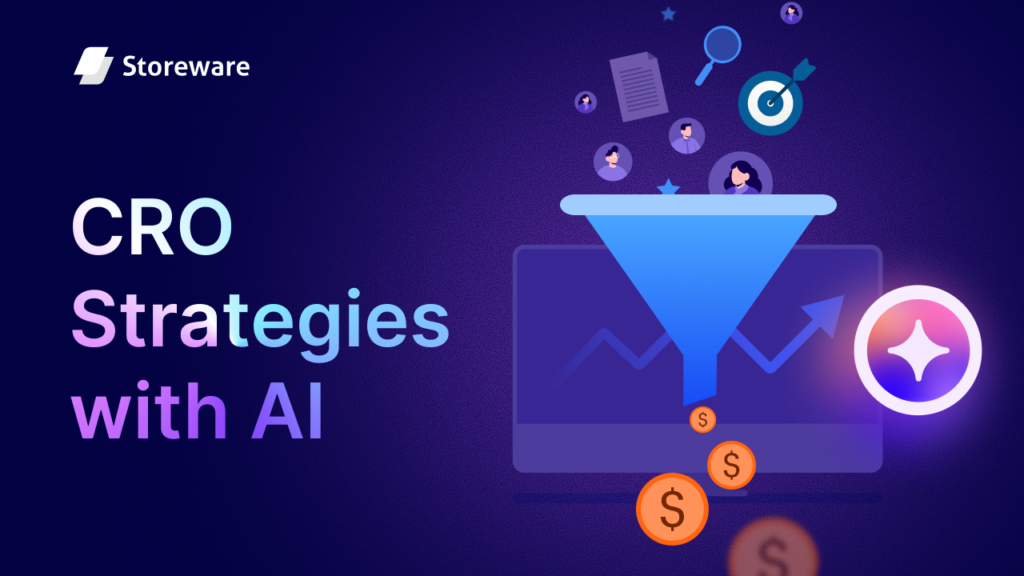
Every Shopify store owner wants to turn more visitors into paying customers. However, achieving this consistently is harder than it seems. With increasing competition and higher customer expectations, traditional methods of improving performance are no longer sufficient. This is where AI-driven Conversion Rate Optimization (CRO) comes into play.
In this blog, we will learn in depth about Conversion Rate Optimization and how different AI-powered strategies, along with the right tool, can help to increase your conversion rate.
What is Conversion Rate Optimization?
Conversion Rate Optimization (CRO) is the process of increasing the percentage of website visitors who perform certain actions. This is one of the most common terms, especially for an eCommerce store. This is achieved by improving the overall website experience, using a catchy call to action, conducting behavioral analysis, and considering many other factors. CRO mostly focused on existing traffic and converting them into customers, rather than acquiring new customers on the website.
For instance, a Shopify store owner started noticing customers were abandoning carts. After behavioral analysis, the owner noticed there were certain improvements required in the checkout process. So by making this process simpler and smoother, owners can increase the CRO.
Formula of Conversion Rate Optimization (CRO):
The CRO is calculated with a simple formula. Which is,
Conversion Rate = (Number of Conversions / Total Visitors) x 100
Let us say your Shopify store has a total of 3,000 visitors and it has 150 purchases that month. So the conversion rate is (3000/150) = 20%. Now, if the owner wants to optimize the conversion rate and increase it to 30%, then it is called Conversion Rate Optimization (CRO).
Key Aspects of CRO
Understanding the key aspects of CRO is essential. These aspects help to make better decisions for your eCommerce business. Here are some of the key aspects in different areas.
Goals: In terms of CRO goal settings, there are some aspects you should focus on. The core goal is to turn your visitors into your customers. Many visitors might visit your eCommerce site, but not necessarily everybody will convert. You have to optimize the website or store in that way and you get more customers for your business. So the goal is –
“Convert more visitors into customers or leads.”
Actions: In which area do you want to improve the actions or increase conversions? It is an important decision in terms of CRO. Here are some essential areas that business owners must focus on. These areas include:
- Purchases: CTA button optimization, Cart Abandonment Issues fixing.
- Form Fills: Newsletter signups or taking a subscription to collect more leads.
- Demo Requests: Getting more users to get a trial or beta version of the feature.
Methods: There can be a lot of methods the way you can optimize your conversion rate. Here are some of the aspects that you must focus on:
- Data Analysis: Analyzing overall data to understand customers’ purchasing behavior.
- User Research: Which types of audiences are exploring or trying out your products?
- A/B Testing: Trying out different methods to better understand which works best for your customers.
- Psychological Nudges: Understanding UI/UX psychology to better design and shape your store based on customers’ convenience.
How CRO Overall Works:
After understanding the key aspects, you need to understand how the CRO overall works for your store. You have to carefully look into some things that will help you to better optimize the conversion rate and make decisions based on that. Here is how overall CRO will work:
- Analyze: Use analytical data to better understand where you need to improve your conversion rate. This analysis can happen based on the cart abandonment rate, where visitors are dropping off, where the CTA button will work properly, etc.
- Hypothesize: Develop the ideation of what should be improved while optimizing the conversion rate. This hypothesis can change the button color or positioning, or anything. Measure if these changes positively impact the conversion rate.
- Implement: Through the implementation of different strategies, you can analyze what is working for your store and what is not. Try out different strategies with different tools and apps for successful and continuous conversions.
Why Does it Matter on a Shopify Store?
The best way to implement CRO is in an eCommerce store. One of the main goals of Shopify store owners is to deliver a better shopping experience to their customers while lowering the customer acquisition cost. It also creates a competitive advantage and increases sales. Let us know more about why it matters in the Shopify store.
Lowers Customer Acquisition Cost (CAC)
CRO focuses on converting existing traffic into paying customers, turning visitors already familiar with your Shopify products into buyers. CRO often improves the shopping experience, leading to repeat purchases. Customers returning to buy again further lowers the effective CAC over time. Also, with AI-driven CRO strategies, like personalized recommendations or predictive offers, ensure the right message reaches the right visitor, increasing the probability of conversion without extra acquisition cost.
Deliver a Better Shopping Experience
With the CRO, the Shopify store owners better understand where the customers are abandoning the cart, where their shopping experience is not going as expected. So, they try to improve the process. These processes can include improving the checkout process, giving personalized recommendations. This automatically helps the owners to make a better shopping experience for the visitors and increase the probability of converting them into customers.
Increases Long-Term Growth & Trust
The higher the conversion rate, the higher the returns on investment and the increase in sales. Here, CRO plays a crucial role in long-term growth & trust for Shopify store owners. By continuously analyzing customer behavior and optimizing the overall shopping experience, CRO ensures that more visitors turn into paying customers. When shoppers encounter a seamless and personalized shopping experience, they are more likely to return and recommend the store to others.
Creates Competitive Advantage
For eCommerce store owners, CRO gives a competitive advantage by enabling them to make the most out of their existing traffic. While many store owners focus only on attracting new customers, CRO helps to nurture the customer base by improving the overall experience of shopping experience. This means they generate higher revenue without proportionally increasing marketing spend, giving them more resources to reinvest in growth, product development, or customer experience, areas where competitors may lag.
Current CRO Trends on Shopify: How Top Stores Beat the Conversion Ceiling
Currently, many of the Shopify store owners are adapting the concept of CRO. To boost sales and reduce the cart abandonment rate, the importance of CRO is becoming essential. The average conversion rate for Shopify was 1.4%. Anything more than 3.2% would put you in the best 20% of Shopify stores.But it can be optimized more by optimizing the landing page or improving the overall shopping experience.
Another Shopify CRO statistics study has introduced the industry-wise conversion rate. Here, while General Apparel has a 2% conversion rate, the lowest conversion rate falls in the Luxury Handbags industry, with only 0.3%.
If we look at some real-life examples, we can see how strategic CRO can transform a Shopify store. AdventureWell Outdoors is a US-based brand selling freeze-dried backpacking meals for outdoor lovers. But their store did not fully showcase the value of their products. With targeted CRO interventions, including UX enhancements, clearer product presentation, trust-building elements, and smart offers, their conversions tripled and sales grew 4.5X in just 90 days.
So this proves that Shopify store owners are more focused on CRO and this also brings results. Currently, adapting CRO to businesses has become essential. With the right tool and trendy strategy, this CRO can be improved further in the upcoming years.
How AI Can Take Your Shopify Conversion Rates to the Next Level in the Future?
The future of CRO is being smart and trendy with your Shopify product pages. In recent years, AI has been the best way to implement different strategies. In eCommerce, AI uses different data such as clicks, impressions and purchase data to make predictive analytics and decisions based on this data.
Recent AI data reveals that generative AI alone has the potential to generate $240–$390 billion in annual value for retailers while simultaneously reducing costs. Another study from SellersCommerce found that the use of AI in e-commerce will be valued at $8.65 billion in 2025 and $17.1 billion by 2030.
The use of AI will span different segments. For example, the use of agentic AI in customer support will increase in eCommerce stores. 33% of eCommerce enterprises will include agentic AI by 2028 (Data from SellersCommerce). Today, less than 1% do so. Another use case of AI in eCommerce is predictive analysis. This analysis helps guide daily decisions using real-time data, such as traffic, promotions, and social media trends. In a Shopify 2025 use case study, six out of 10 retail buyers say AI has already improved their demand forecasting accuracy.
This data shows how AI can be a game-changer in terms of optimizing conversion rates and increasing customer satisfaction as well as sales. But what should be the key strategy? In the next part, we will learn more about it.
AI Strategies for Shopify Stores That Actually Convert
Adopting AI has become a common practice now for Shopify store owners. But it is important to know some of the best strategies for CRO and how to implement them with different AI-powered apps. Here are some of the strategies that store owners can implement with the power of AI that actually convert. In this section, we will learn more about how to implement different strategies for the Shopify store.
Home Page Optimization
The first optimization strategy should come from your Homepage. After deciding to purchase a certain product, sometimes your visitors might look at your homepage first. So, this should be optimized in a way that the conversion rate can be increased. Here are some of the strategies that can work better for the CRO of your Shopify store.
Above-the-Fold Essentials
- Add a strong offer: Through an opt-in and banner with an eye-catching heading and CTA by showcasing strong offers can help visitors learn more about the recent deals and engage users to explore the product on the deal.
- Answer key visitor questions: Answer first, what is your store about? Is it a software brand or an electronics store? Make it clear so that users can better understand what they will expect. To generate these answers, use an AI tool like ChatGPT or Perplexity to generate the about section of your website.
- Add review badges: Highlight top reviews on the homepage. This will create trust and authenticity among new visitors. It will motivate them to purchase from your store since they will be able to trust the product.
- Highlight press coverage: Press coverage from popular news sources will boost the visitors’ trust and authenticity. It will help store owners attract more visitors and convert them into customers.
Visuals & Storytelling
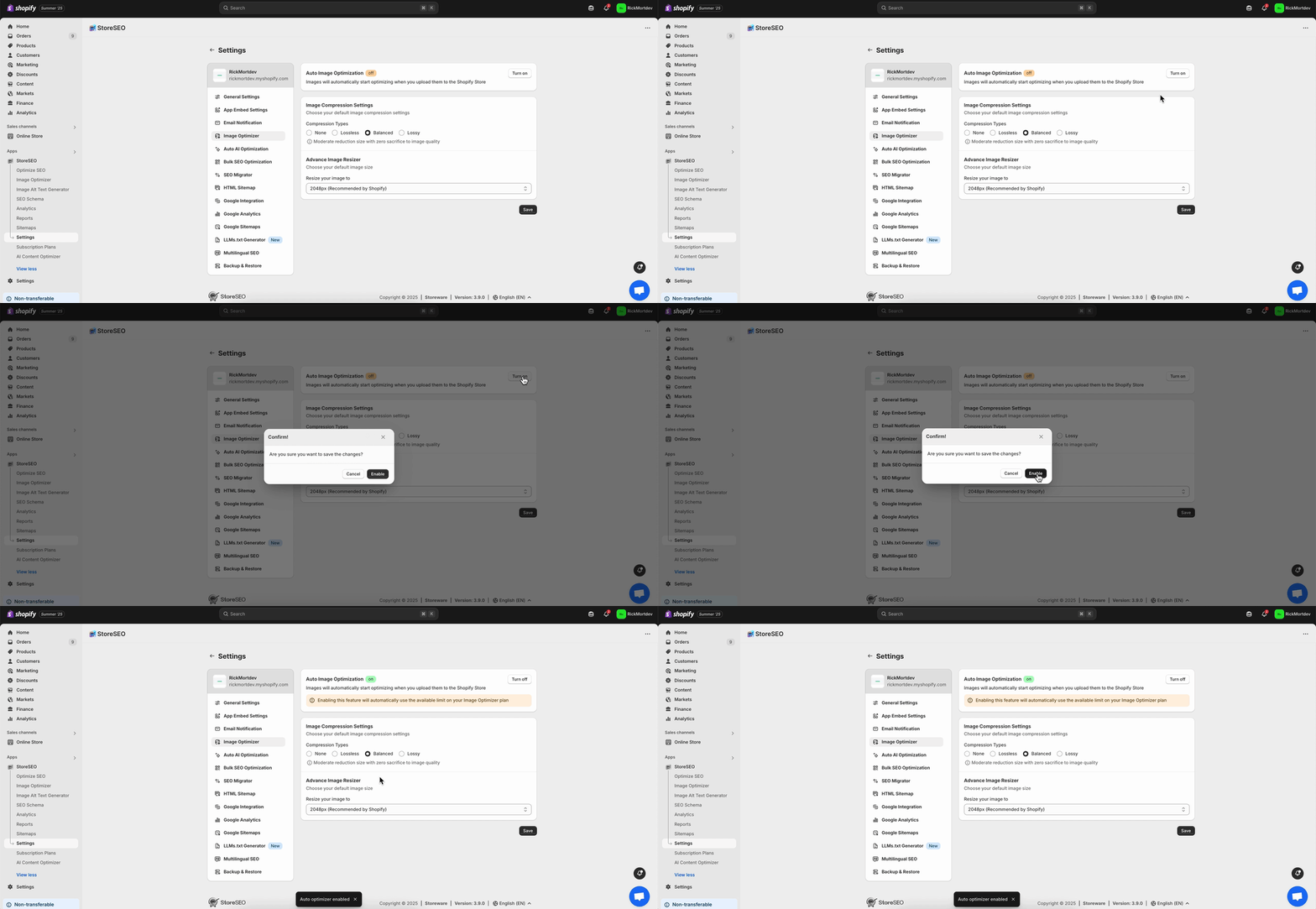
High-quality image: Make sure your product images have good quality and resolution. Also, try to make sure your store has optimized images, so that it takes less loading time. With StoreSEO’s AI Image Optimizer, you can do that efficiently for your store.
- Include brand mission: Talk about your store’s mission with the founder’s perception, so visitors know more about your brand on the homepage. This section can be generated with AI by giving a simple prompt based on the founder’s perception.
- Showcase best-selling products: Highlight the products that the customers loved most. By showcasing this, you can increase the sales numbers of your best-selling products. By analyzing the whole Shopify store with an AI-powered app like RealtimeStack, you can showcase the best-selling products based on visitors’ behavior.
Conversion Boosters
- Email signups: To boost conversion and collect more leads, add an email sign-up button for subscribing to new blog posts or latest deals. Later on, you can use a Shopify app like Klaviyo to create AI-powered segments and flow triggers using historical and real-time data.
Product Page Optimization
The next part for your Shopify store is the product page. After learning about your product, visitors would like to know what type of products your store offers. So optimizing this page is important. Now, let us have a look at which AI-backed strategy can be utilized for product page optimization.
Layout & Structure
- Maintain proper layout: With the 70/30 layout, place the buy box on the right and product image on the left. This way, it gives a proper eye-catching experience to the store visitors.
- Sticky Add to Cart: By adding a sticky add to cart button, it will grab the attention of the visitors and encourage them to add the product to the basket. You can also add a small cart icon on the bottom right corner of your website.
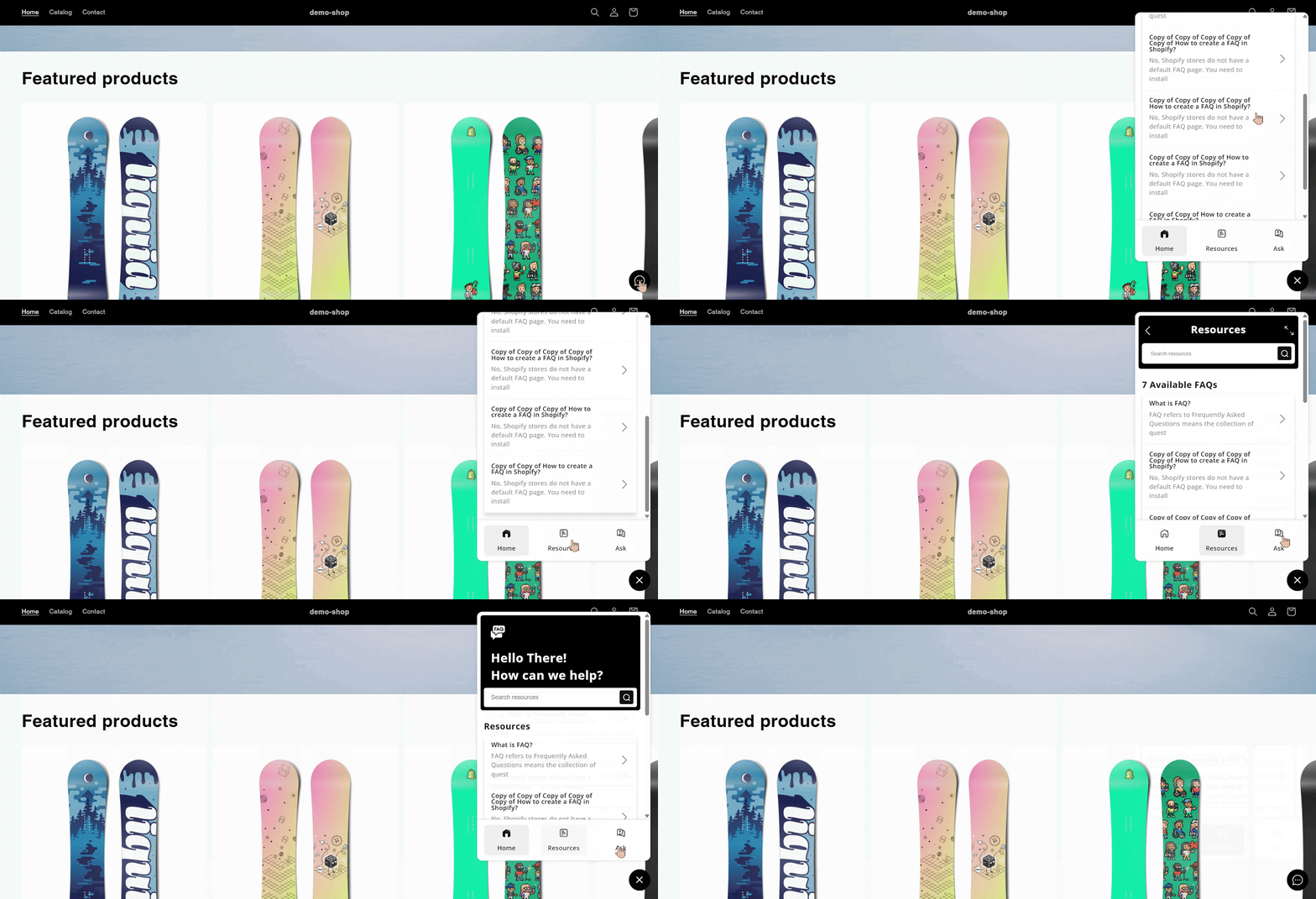
- Enable LIVE chat and FAQ: With AI-powered chat and customer support, store owners can automate their customer support. Apps like StoreFAQ help to create AI-generated questions and answers within minutes on your Shopify store, so you do not have to write every common query manually.
Product Image & Media
- Enable Zoom: With the Zoom feature, visitors will better understand the product and get a good look at it. It will help them make better decisions from the Shopify store.
- Add multiple images: Try to add images from multiple angles. It will help them to make a proper decision. Apps like Canva AI can help to create visually stunning product images and mockups.
- Add product videos: Another way to attract customers is to create AI-generated videos of the product. An AI-powered Shopify app like Vidify can help you generate videos instantly in different styles for your product store.
Call-to-Action Optimization
- Make bold Add to Cart Button: The Add to cart button should be highlighted properly with a bold interface. Adding proper color that catches the attention of the visitors.
- Add size guide: If you have a product in your store that requires a specific size for the users, then adding a size guide will help visitors make quicker decisions. With AI, you can generate this size chart based on the brand guidelines with Canva AI.
- Show transparent pricing: Keep it very clear about the pricing section. Do not miss out on shipping costs, taxes, or any other extra costs. It will give a clear idea to customers what the actual pricing of the product is.
- Highlight return policies: Be very clear about the return policies on your store. Now, many policies might take too long to write. So, try to use AI tools like ChatGPT or Jasper AI to write the return policy for your store.
- List payment methods: It is better to add the payment methods in the button format. It will help customers make a purchase decision based on their convenient payment options.
Social Proof
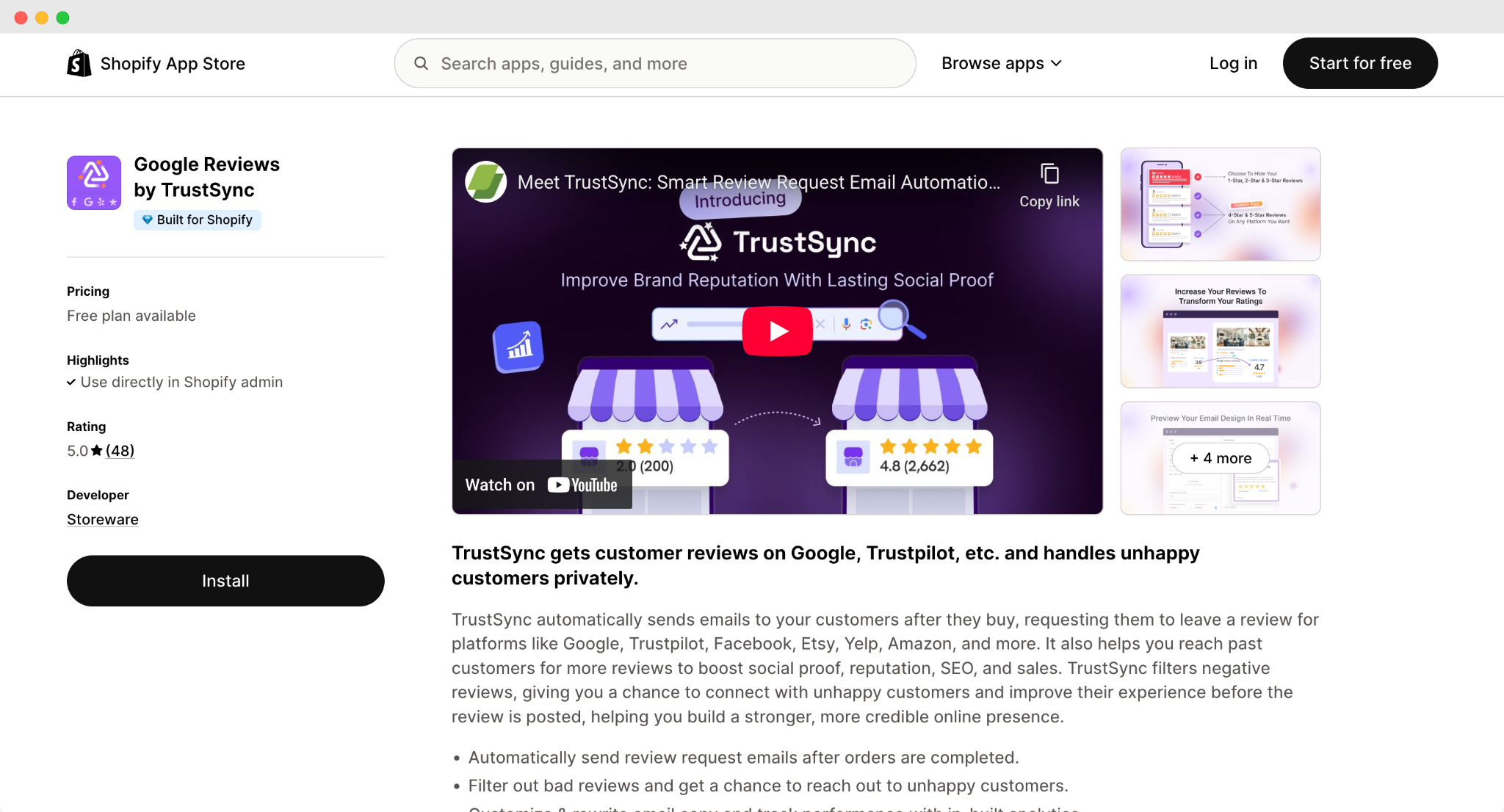
- Show trusted platform reviews: To get the proper social proof, it is great to implement reviews from trusted platforms like Trustpilot, Yelp, etc. With the Shopify app, like TrustSync, you can collect reviews from the platform and implement them on your store.
Category Page Optimization
Another important page is the category page. Here, visitors will find product categories to get the specific products. There are some conversion optimization strategies you can implement.
- Max 3–4 products per row: For desktop optimization, it is better to add 3-4 products in a row. It helps users to better identify the product and it becomes visually pleasing for the visitor. For the mobile version, it is better to keep max 2 per row on mobile.
- Place expensive items first: By placing the expensive items first, with a special deal will help visitors trust that they will get a premium product at a minimum price. With the Shopify app, like Rebuy Personalization Engine, personalizes every step of the shopping journey with AI-powered upsells, cross-sells, and smart product discovery
Cart Page Optimization
After choosing the product, there are some CRO strategies that can be implemented on the cart page. Let us have a look at some of the strategies for this page.
Urgency & Motivation
- Use catchy phrases: In the cart page, use catchy phrases like “Your cart isn’t reserved.” This way, it will be engaging and create a hook. Different copywriting AI tools, such as Copy.ai, can help to generate engaging copy for the cart page.
- Highlight free shipping: If your store offers free shipping, then highlight it. Visitors love anything free on an eCommerce site. So, by highlighting free shipping, there is a high chance that visitors will convert to customers.
Checkout Page Optimization
Another important part is the checkout page. It is important to make the page’s process smoother so that visitors can be converted into customers. Here are some strategies that can be implemented.
- Trust & Transparency: To build trust and keep transparency, show shipping times, updates. By giving an invoice tracking ID, visitors can easily identify where their product is. AfterShip Order Tracking is one of the Shopify apps. With AI, you can generate an estimated delivery time for customers.
- Checkout & Thank-You page upsells: In the thank-you page, you can show some product recommendations to upsell different products. With AI-powered apps like LimeSpot Personalizer, you can add recommended products to your thank-you page.
Technical Store Requirements
With the product page changes, you also need to fulfill some technical requirements to optimize the conversion rate. Here are some of the technical strategies that can be implemented.
- Loading speed under 2 seconds: Keep the loading speed minimal; it is better to keep it under 2 seconds. Nobody likes a slow-loading page. So, to keep the shopping experience better, it is better to keep it under 2 seconds. Shopify apps like StoreSEO’s AI Image Optimizer feature can optimize images for better loading speed for your Shopify store.
- Consistent brand identity: Keep your store’s brand identity consistent. It will help users to better understand your brand and product. With Shopify, you can create a custom website with AI.
Search Optimization
Even if you make proper categorization for your store, there must be some products that your visitors might still look for. That is why it is important to optimize your store search bar to boost conversions. Here are some of the strategies you can apply.
- Add search icon: Add the search icon on your store in a suitable place where your visitors can easily take action. It can be in the middle of your store so that the search is highlighted.
- Include autocomplete & autosuggest: With autocomplete, it will help visitors find any product faster. By adding a few words, the search will automatically suggest the product that visitors might be looking for. Shopify apps like Boost give you fast, intuitive AI search to help shoppers find the product.
Footer Optimization
Even if your shoppers go through the entire store and navigate to the footer, there is a chance of optimization as well. Let us have a look at some of these strategies to better understand what to do in the footer.
- Add “Back to Top” button: If visitors go to the footer, then they might be considering converting into your customers. For this, add a back-to-top button with an arrow pointing up. It will help them navigate to the product page faster.
- Display office location: Show if you have a physical location with an interactive Google map interface. So that, if they want to get a product physically to check the quality of the product, they can find your business and try the product on their own.
Navigation Optimization
Navigation is important for your Shopify store so that people can go through the entire page quickly and check out their desired product instantly. Here are some of the strategies that can be effective for your store.
- Add breadcrumbs: Adding breadcrumbs on a Shopify store helps visitors navigate through the pages quickly and easily. With Shopify’s website builder and AI-powered feature, you can create your custom store within minutes.
- Use sticky header: Try to use a sticky header on your store, so that your visitors can get your available product options right in front of their eyes. This will help them make quick decisions and navigate through specific product pages.
Boost Shopify Store Conversion Rate with AI-powered Strategies
In today’s competitive Shopify landscape, using AI-driven strategies is essential for boosting conversions and driving growth. From personalized product recommendations and predictive analytics to automated A/B testing and real-time behavioral targeting, AI helps Shopify store owners better understand their audience. It enhances the shopping experience, delivers the right message at the right time and enables more effective Shopify conversion rate optimization strategies.
Was this blog helpful? Do not forget to subscribe to our blogs to get all the latest blogs on time.