

Did you know that around 70% of all Shopify traffic comes from mobile devices, yet mobile visitors convert at a noticeably lower rate than desktop users? While desktop shoppers complete purchases at around 1.9%, mobile conversion rates often stall around a frustrating 1.2% to 1.4%.
That gap is not a sign that mobile shoppers are not buying, it is proof that their patience for clunky navigation, tiny buttons, and slow checkout screens is practically zero. If your store is not built for thumbs, quick decisions and frictionless taps, you are leaving real revenue on the table every single day.
In this guide, we are cutting through the design noise to share high-impact Mobile UX tips specifically for Shopify. From streamlining your mobile checkout to perfecting single-thumb navigation, here is how you turn casual mobile scrollers into paying customers.
TL;DR
| Optimization Area | Primary Friction Point | UX Solution | Expected Impact |
| Thumb-Zone Ergonomics | Critical buttons placed out of natural thumb reach | Sticky bottom navigation and floating Add to Cart bars | High (+12% to +18% ATC rate) |
| Product Customization | Clunky dropdown menus that hide variant options | Touch-friendly swatches and conditional logic via EasyFlow | Very High (+15% to +25% PDP CVR) |
| Speed and Web Vitals | Slow 4G image loading and layout shifts (CLS) | Automated image compression and schema optimization via StoreSEO | High (+7% CVR per 1s speed gain) |
| Mobile Search & Filters | Zero-result dead ends and rigid sidebar filters | Visual predictive autocomplete and bottom-sheet filter drawers | Medium to High (+10% product discovery) |
| Pre-Purchase Support | Unanswered shipping or return doubts causing abandonment | Collapsible product FAQs via StoreFAQ and BetterDocs help center | High (-35% tickets, +14% checkout start) |
| Checkout Architecture | Tedious form inputs and manual billing entry | One-page checkout with accelerated wallets (Shop Pay, Apple Pay) | Very High (+18% to +30% completion) |
The Reality of Mobile Commerce Conversion Rates on Shopify
Despite mobile bringing in around 70% of total Shopify traffic, most store owners are shocked to learn that mobile visitors convert at a modest 1.2% to 1.4%, well below the 1.9% rate of desktop users.
This stark performance gap is not caused by a lack of buyer interest; it is driven by subtle UX friction, slow loading times and clunky checkouts that drive mobile shoppers away.
Why Mobile Traffic Dominates While Desktop Wins the Sale
Social media advertising on platforms such as TikTok, Instagram and YouTube drives instant mobile visits directly to landing pages and product pages.
Despite this overwhelming volume of mobile visitors, conversion data tells a sobering story. Studies from eCommerce research leaders indicate that desktop users convert at a noticeably higher rate than smartphone shoppers.
Mobile shoppers face constant real-world distractions, fluctuating network connectivity and the physical constraints of interacting through a small glass screen. When an interface introduces friction, mobile users exit immediately instead of struggling through a frustrating user flow.
Benchmarking Cart Abandonment & Checkout Friction
The root causes of mobile abandonment center on unnecessary interface barriers: complex checkout forms requiring excessive typing, hidden shipping calculations, unresponsive variant selectors and intrusive popups that block essential buttons.
Shopify merchants and developers must redesign their storefronts around a mobile-first philosophy that prioritizes touch ergonomics and zero-friction navigation to capture high-intent buyers.
Mobile UX Tips for Thumb-Zone Ergonomics & Navigation
Most mobile shoppers browse using a single thumb, yet standard store menus sit in hard-to-reach top corners. Thumb-zone ergonomics places your key navigation elements, search bar, filter triggers and call-to-action buttons directly within the natural arc of a user’s thumb movement.
Building your mobile architecture around one-handed reach makes browsing comfortable and speeds up the path to purchase.
Designing for One-Handed Smartphone Ergonomics
75% of all total screen taps, scrolls and swipes are performed using the thumb (across one-handed grips, cradling and two-handed grips).
Mobile usability pioneer Steven Hoober demonstrated that the human thumb naturally sweeps an arc across the lower third and center of the screen. The top corners of modern large-screen smartphones fall into the hard-to-reach zone, requiring awkward hand repositioning or two-handed operation.
When essential Shopify navigation elements, search bars and primary call-to-action (CTA) buttons are pinned exclusively to the top of the mobile viewport, user fatigue increases. Placing key interactive controls within the natural thumb zone drastically reduces tapping friction and accelerates product discovery.
Simplifying Header Navigation & Hamburger Menus
Traditional desktop navigation menus with sprawling multi-tier dropdowns fail miserably when condensed into a basic mobile hamburger menu. When a mobile shopper opens a hamburger menu only to encounter twelve unorganized category links, six nested sub-menus and promotional links, decision paralysis sets in.
Top-performing Shopify themes streamline mobile navigation through four core practices:
- Prioritize Top Categories: Limit top-level mobile menu links to five or six high-intent product categories, tucking utility pages (About Us, FAQs, Contact) into a clean secondary section.
- Visual Category Icons: Incorporate small, recognizable thumbnail images or clean vector icons beside category titles to accelerate visual scanning.
- Nested Accordions: Use smooth, animated accordions for subcategories with distinct back-navigation controls so users never get lost in deep category trees.
- Direct Search Integration: Place a prominent search trigger directly at the top of the slide-out menu drawer alongside the main header icon.
Implementing Sticky Bottom Navigation & Action Bars
Native mobile apps like Instagram, Amazon and Shopify Shop app maintain persistent bottom navigation bars because they keep primary actions within effortless thumb reach. Modern Shopify web stores can adopt this app-like experience by implementing a lightweight fixed bottom navigation bar containing direct links to Home, Category Search, Wishlist and Cart.
On product detail pages, the bottom navigation bar smoothly transitions into a sticky Add to Cart bar as the user scrolls past the primary product hero section. This ensures that the purchase trigger remains visible and clickable regardless of how far down the customer scrolls to read reviews or specifications.
Imagine an online fashion brand with 500+ SKUs and a high mobile bounce rate on its homepage, because the top hamburger menu requires four taps to reach specific product subcategories.
The development team replaces the static top hamburger with a sticky bottom navigation bar (Home, Shop Categories, Search, Cart) and adds a horizontal swipeable category chip bar directly beneath the mobile hero banner.
High-Converting Mobile Product Detail Pages (PDP)
Your mobile product detail page acts as your primary digital sales floor. Mobile shoppers make fast decisions, so high-converting layouts prioritize sticky Buy buttons, clear image galleries, collapsible product details and bold social proof right above the fold. Organizing your product information for quick vertical scanning keeps users engaged and guides them directly to checkout.
Frictionless Media Galleries, Swiping & Video Demos
The mobile product detail page represents the critical decision node of your entire store. On desktop, large screens display multi-column layouts with simultaneous visibility of imagery, descriptions, variant tables and reviews. On mobile screens, vertical real estate is constrained, requiring sequential visual hierarchy.
Mobile shoppers demand intuitive visual exploration. Implement full-width horizontal swipeable image carousels with visible pagination dots (e.g., 1/5, 2/5) instead of vertical stacked images that force endless scrolling. Ensure pinch-to-zoom or double-tap zoom behaves smoothly without hijacking page scroll. Embedding short, auto-looping muted product videos directly in the media slider increases buyer confidence by showcasing textures, fit and dynamic movement.
Simplifying Complex Variant Choices with EasyFlow
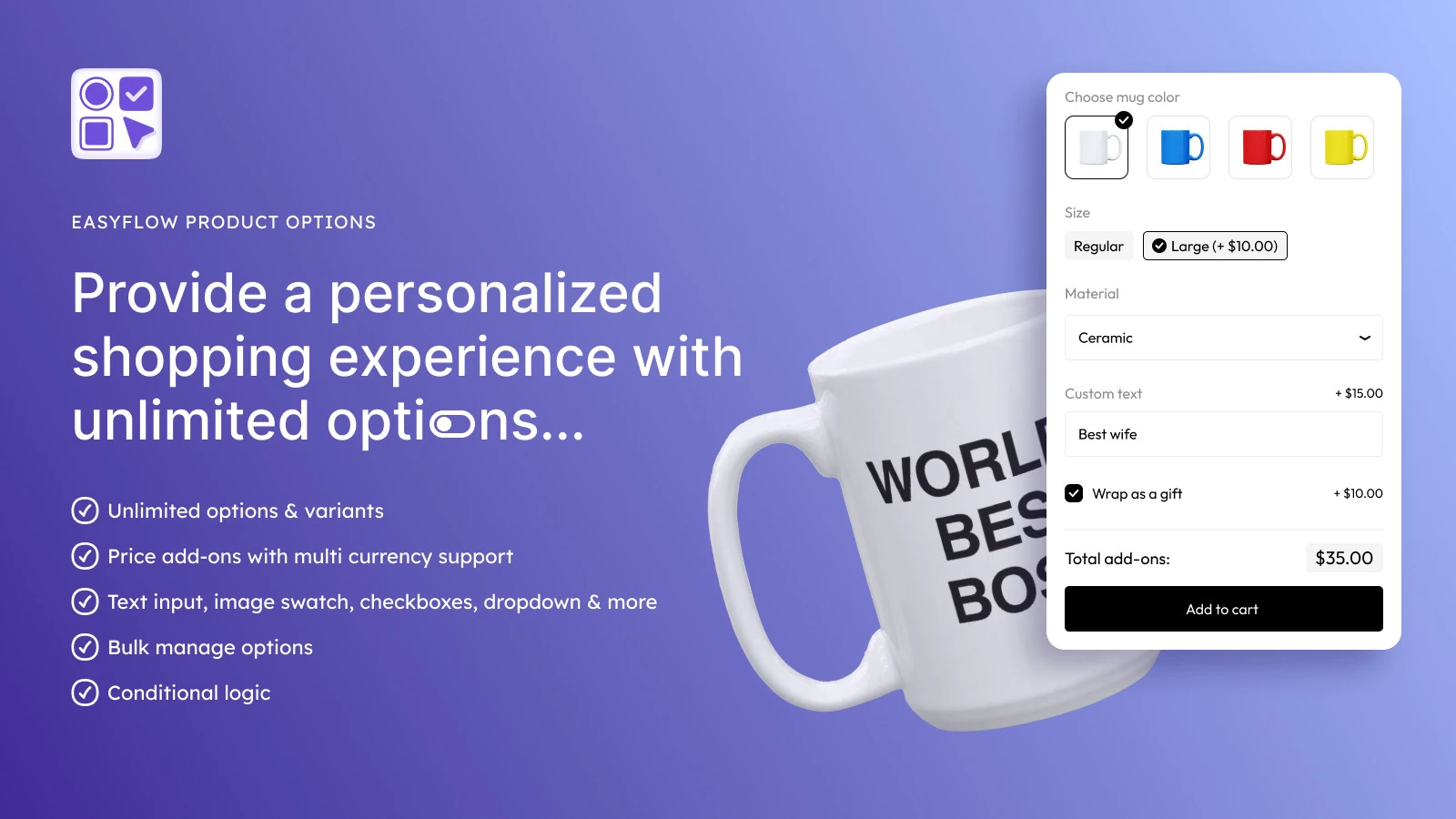
Default Shopify themes often display product variants through standard native dropdown select boxes. On mobile devices, opening an operating system select picker interrupts the visual shopping flow, hides the product photo and requires extra taps. When a store sells customized items with multiple colorways, sizing options, custom engravings, file uploads or bundle add-ons, default Shopify variant limits and dropdowns create intense user friction.
Using a dedicated product options app like EasyFlow transforms complex configurations into clean, mobile-first touch swatches, image selectors and responsive button groups. EasyFlow is officially certified with the ‘Built for Shopify’ badge, ensuring exceptional mobile performance, deep theme integration and zero layout bloat. Merchants can configure conditional logic rules so that secondary options appear only when relevant, keeping mobile screens clean and uncluttered.
Sticky Add-to-Cart Buttons with Live Price Updates
When mobile shoppers scroll down to examine product dimensions, customer reviews or sizing charts, the primary call-to-action button scrolls off-screen. Forcing users to scroll back up to add an item to their cart creates a needless barrier that increases abandonment.
A sticky Add to Cart bar anchored at the bottom of the mobile viewport resolves this issue permanently. The sticky bar should display the selected variant summary, live updated pricing and a prominent high-contrast Add to Cart button. This ensures that the moment a shopper resolves their hesitation while reading a review, they can convert with a single tap.
Mobile Speed Optimization, Liquid Performance & Core Web Vitals
Every fraction of a second matters when mobile shoppers browse on cellular networks. Slow Liquid code execution, bloated image files and unoptimized apps tank your Google Core Web Vitals and drive visitors away before your page renders. Cleaning up redundant theme scripts, lazy loading media and optimizing Liquid logic keeps your mobile pages fast, responsive and ready to convert.

Slashing Largest Contentful Paint (LCP) Across 4G & 5G Connections
Mobile page speed directly dictates conversion rates. Google research confirms that a 1-second improvement in mobile page load time increases eCommerce conversion rates by up to 7%.
On mobile networks where latency fluctuates, unoptimized assets severely degrade user experience.
Largest Contentful Paint (LCP) measures how quickly the primary content element – typically the featured product image or mobile hero banner – renders on the screen.
To keep mobile LCP under the recommended 2.5-second threshold, Shopify developers must prioritize above-the-fold assets. Implement modern image formats like WebP or AVIF, utilize native responsive srcset (an HTML tool for responsive images) attributes in Liquid and preload hero imagery using rel=’preload’ in the theme header.
Reducing Interaction to Next Paint (INP) & Cumulative Layout Shift (CLS)
Google Core Web Vitals metric Interaction to Next Paint (INP) evaluates overall page responsiveness by measuring the delay between a user’s tap and the visual UI update. On mobile Shopify themes, bloated third-party JavaScript libraries, uncompressed tracking tags and poorly coded app scripts lock the main browser thread, resulting in sluggish taps.
Cumulative Layout Shift (CLS) measures unexpected visual shifts during page load, such as late-loading banner ads or review widgets that push buttons downward just as a customer attempts to tap. Avoid CLS by declaring explicit width and height aspect ratios on all image containers, reserving fixed layout space for dynamic widgets and deferring non-critical scripts.
Streamlining Liquid Code & Image Assets with StoreSEO
Managing high-resolution product catalogs across hundreds of SKUs often leads to unoptimized image files that silently destroy mobile performance. Utilizing an automated optimization tool like StoreSEO solves this bottleneck at scale. StoreSEO performs bulk image compression, automated WebP formatting and intelligent alt-text optimization without sacrificing visual quality.
In addition to asset compression, StoreSEO injects structured JSON-LD schema markup across products, collections and FAQs.
This structured data enhances search visibility across AI search engines and Google Rich Results while ensuring the browser parses product metadata efficiently without heavy client-side script overhead.
Developer Audit Checklist: 6-Point Technical Inspection for Shopify Mobile Themes
Running a developer audit on mobile themes requires targeting the precise technical friction points that slow down rendering, degrade Core Web Vitals and block mobile checkout.
This six-point inspection covers liquid logic, DOM overhead, dynamic script execution and render-blocking resources:
- Preload Hero Assets: Add `<link rel=’preload’ as=’image’ href=’…’ fetchpriority=’high’>` to `theme.liquid` for the primary mobile hero image to reduce LCP.
- Native Responsive Images: Ensure all Liquid image tags use `image_tag: widths: ‘360, 480, 720’, sizes: ‘100vw’` to prevent serving oversized 2000px images to mobile screens.
- Reserve Widget Dimensions: Set `min-height` on dynamic review widgets and accordion containers using CSS to eliminate Cumulative Layout Shift (CLS).
- Audit Third-Party App Scripts: Use Google Chrome DevTools Performance panel to identify blocking JavaScript, removing legacy uninstalled app code remnants from `theme.liquid`.
- Defer Non-Critical Assets: Apply `defer` or `async` to all analytics, marketing pixels and secondary tracking scripts to keep the main thread unblocked for smooth INP.
- Automate Image Optimization: Deploy StoreSEO to automate bulk lossless compression, WebP conversion and structured schema across the entire Shopify product catalog.
Mobile Search, Predictive Autocomplete & Faceted Filtering
High-intent shoppers rely on on-site search, yet typing full queries on mobile devices introduces severe friction. Implementing predictive autocomplete reduces keystrokes by serving instant, visual product previews and category suggestions directly within the search drop-down as users type.
Pair this with full-screen, drawer-based faceted filtering to allow shoppers to narrow down large catalogs by size, price and variant without triggering slow page reloads.
Transforming Search into a Visual Discovery Engine
Mobile visitors who actively utilize on-site search convert at nearly triple the rate of casual browsers because they exhibit specific, high-intent purchasing goals. However, typing detailed queries on a small touchscreen keyboard is error-prone and tedious.
Transform your mobile search input into a rich visual discovery engine. When a shopper taps the search bar, immediately present recent searches, trending categories and top-selling products before they type a single character. As they type, implement instant predictive autocomplete that showcases small product thumbnail images, live pricing, stock availability and direct collection links.
Mobile Filter Drawers with Bottom-Sheet Triggers
On desktop collection pages, multi-column sidebar filters allow shoppers to refine products by size, color, material and price simultaneously. On mobile screens, standard sidebars cannot fit and must be contained within a dedicated filter interface.
The most effective mobile filtering pattern uses a sticky filter button that opens a smooth slide-up bottom sheet drawer. Bottom sheet drawers keep filter categories within the natural thumb zone. Include live count indicators (e.g., ‘View 42 Products’) directly on the apply button so users see the exact impact of their selections before closing the filter drawer.
Eliminating Zero-Result Dead Ends
A blank ‘No Products Found’ screen on a mobile device is a conversion killer. Mobile shoppers rarely revise a misspelled query manually; they simply tap the back button or leave the site entirely. Implement robust typo tolerance, offer ‘Did you mean…’ suggestions and always display curated bestsellers or popular categories beneath search result notices.
Frictionless Mobile Cart Drawers & One-Page Checkout
Mobile shoppers expect a continuous, uninterrupted buying flow without full-page reloads. Slide-out cart drawers keep users engaged on their current page while displaying item summaries, progress bars for free shipping and quick upsell options.
Coupling this drawer experience with Shopify’s one-page checkout minimizes required form fields, supports one-tap wallet payments like Apple Pay and eliminates extra steps between product discovery and final payment.
The Slide-Out Drawer Cart vs Full-Page Cart Redirection
Redirecting a mobile customer to a separate full-page cart (`/cart`) after every Add to Cart tap disrupts browsing flow and increases friction. Navigating back and forth between product pages and a separate cart page requires multiple page loads and heavy network requests on mobile connections.
A slide-out drawer cart (AJAX slide-over) provides an immediate, seamless confirmation of the added product without pulling the shopper away from their active browsing session. The drawer cart should feature clear item thumbnails, quantity adjustment steppers, a free shipping progress bar and a direct high-contrast checkout button.
Integrating Accelerated Mobile Wallets (Shop Pay, Apple Pay and Google Pay)
Manual typing on mobile keyboards remains the primary driver of checkout abandonment. Entering 16-digit credit card numbers, billing addresses and shipping details across multi-field forms on a 6-inch screen is notoriously frustrating.
Integrating accelerated one-tap payment wallets like Shop Pay, Apple Pay, Google Pay and PayPal Express speeds up checkout and cuts down on manual typing at every step.
Shopify’s own data shows Shop Pay increases overall checkout conversion rates by up to 50% compared to guest checkout and that buyers who use it are up to 77% more likely to purchase again within the following year, by auto-filling stored credentials, addresses and payment methods with a simple biometric tap or SMS verification.
Shopify One-Page Checkout Optimization & Input Hygiene
Shopify native one-page checkout consolidates customer information, shipping options and payment selection into a single streamlined screen. Developers and merchants can further refine mobile checkout usability by configuring proper HTML input types (`type=’tel’` for phone numbers, `type=’email’` for email addresses and `inputmode=’numeric’` for postal codes) so smartphone keyboards automatically open with the correct numerical or text layout.
High-Friction Mobile Checkout vs Optimized Streamlined UX
Traditional mobile checkouts stall conversions by forcing users through multi-step forms, tiny text fields and unexpected page reloads. Streamlined mobile UX removes these barriers by combining single-page layouts, automated address lookup and native mobile wallet buttons:
| Checkout Stage | High-Friction Mobile Experience | Optimized Streamlined Mobile UX |
|---|---|---|
| Cart Addition | Full-page redirect to /cart requiring manual back navigation | Instant AJAX slide-out cart drawer with quick-checkout CTA |
| Shipping Estimate | Hidden until the final payment step, causing cost shock | Dynamic free shipping progress bar displayed directly in the cart drawer |
| Form Field Typing | Standard text inputs requiring manual alphanumeric keyboard toggling | HTML5 input attributes opening optimized numeric or email keyboards |
| Payment Processing | Manual 16-digit card entry and billing address typing | One-tap accelerated wallets such as Shop Pay, Apple Pay and Google Pay |
| Checkout Architecture | Multi-step separate page loads with slow mobile transitions | Unified Shopify One-Page Checkout with address autocomplete |
On-Page Self-Service, Micro-FAQs & Mobile Customer Support
Mobile shoppers rarely leave a product page to search a global FAQ document for shipping or return answers. Micro-FAQs resolve common objections directly on the product detail page by placing compact, collapsible accordions near the add-to-cart button.
Integrating lightweight self-service widgets and one-tap customer support options allows users to resolve sizing, delivery and warranty questions without breaking their shopping momentum.
Answering Pre-Purchase Hesitations with StoreFAQ
When mobile shoppers encounter unanswered questions about product sizing, international shipping costs, warranty coverage or return policies, they rarely navigate away to find a generic contact page. On mobile, uncertainty leads directly to immediate bounce.
Integrating lightweight, collapsible FAQ accordions on product pages using StoreFAQ solves pre-purchase doubts directly at the point of conversion.
StoreFAQ allows merchants to create structured, product-specific FAQ accordions that save valuable screen real estate while answering critical questions in a clean, tap-to-expand format. Furthermore, StoreFAQ automatically generates FAQ schema markup, making your product FAQs eligible for rich snippet results in search engines.

Common Mobile UX Traps That Secretly Drain Shopify Revenue
Seemingly minor mobile design flaws create compound friction that quietly lowers conversion rates and wastes paid ad spend. Spotting and removing these subtle user experience breakdowns keeps shoppers moving cleanly toward checkout.
❌ Aggressive Full-Screen Overlays
Nothing destroys mobile user trust faster than landing on a product page only to be greeted by an unprompted full-screen discount popup with a microscopic close button. On mobile devices, users struggle to tap tiny ‘X’ icons, frequently triggering accidental clicks or bouncing immediately.
Google actively penalizes intrusive mobile interstitials that degrade accessibility. If you deploy email capture or discount offers, use bottom slide-in banners or subtle sticky announcement bars that take up less than 20% of the screen height and include generous tap-to-dismiss targets.
❌ Undisclosed Shipping Fees
According to Baymard Institute, extra costs including unexpected shipping, taxes and handling fees are the number one reason for checkout abandonment globally, cited by 48% of abandoning shoppers. Forcing mobile users to navigate all the way to the final payment screen to discover shipping costs generates intense frustration.
Display shipping expectations, estimated delivery dates and clear free shipping thresholds prominently on product pages and in the slide-out cart drawer. Transparency builds instant credibility and encourages shoppers to add more items to reach threshold tiers.
❌ Sub-48px Touch Targets
Apple Human Interface Guidelines and Google Material Design recommend minimum interactive touch target sizes to ensure ease of use. Apple specifies a minimum target of 44 by 44 points, while Google Material Design recommends 48 by 48 density-independent pixels (dp) with at least 8 dp of surrounding spacing to prevent unintended taps.
Tiny links, closely packed variant buttons and cramped quantity steppers result in ‘fat finger’ tapping errors and user frustration.
Audit your mobile theme to ensure all clickable elements meet touch target standards. In addition, configure form fields with appropriate HTML5 attributes so that number fields automatically bring up numeric keypads, reducing mobile input friction.
The Shopify Merchant’s Mobile Conversion Optimization Stack
Building an effective mobile tech stack requires choosing lightweight integrations that optimize user experience without causing script bloat or slow page load speeds.
Customizing Variants Seamlessly with EasyFlow
Product customization should be an intuitive, visual experience on smartphone screens. EasyFlow empowers Shopify merchants to build unlimited option sets, visual color swatches, image pickers, text fields and file upload modules without writing a single line of custom code.
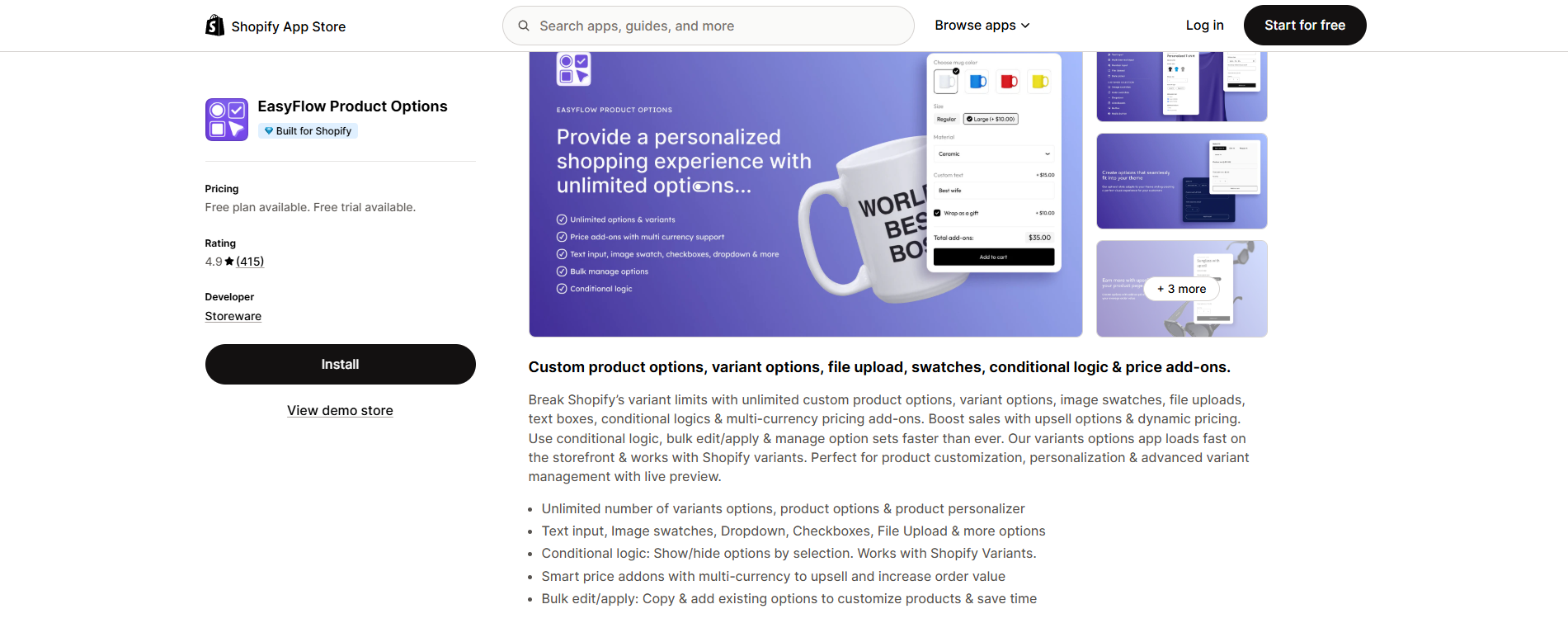
Holding the official ‘Built for Shopify’ badge, EasyFlow guarantees lightning-fast loading speeds and responsive mobile rendering that eliminates variant selection friction.
Improving Image Speed & Visibility with StoreSEO
Visual assets drive eCommerce sales, but unoptimized files severely damage mobile Core Web Vitals. StoreSEO automates product image compression, converts graphics to next-gen WebP formats and generates comprehensive alt tags in bulk.
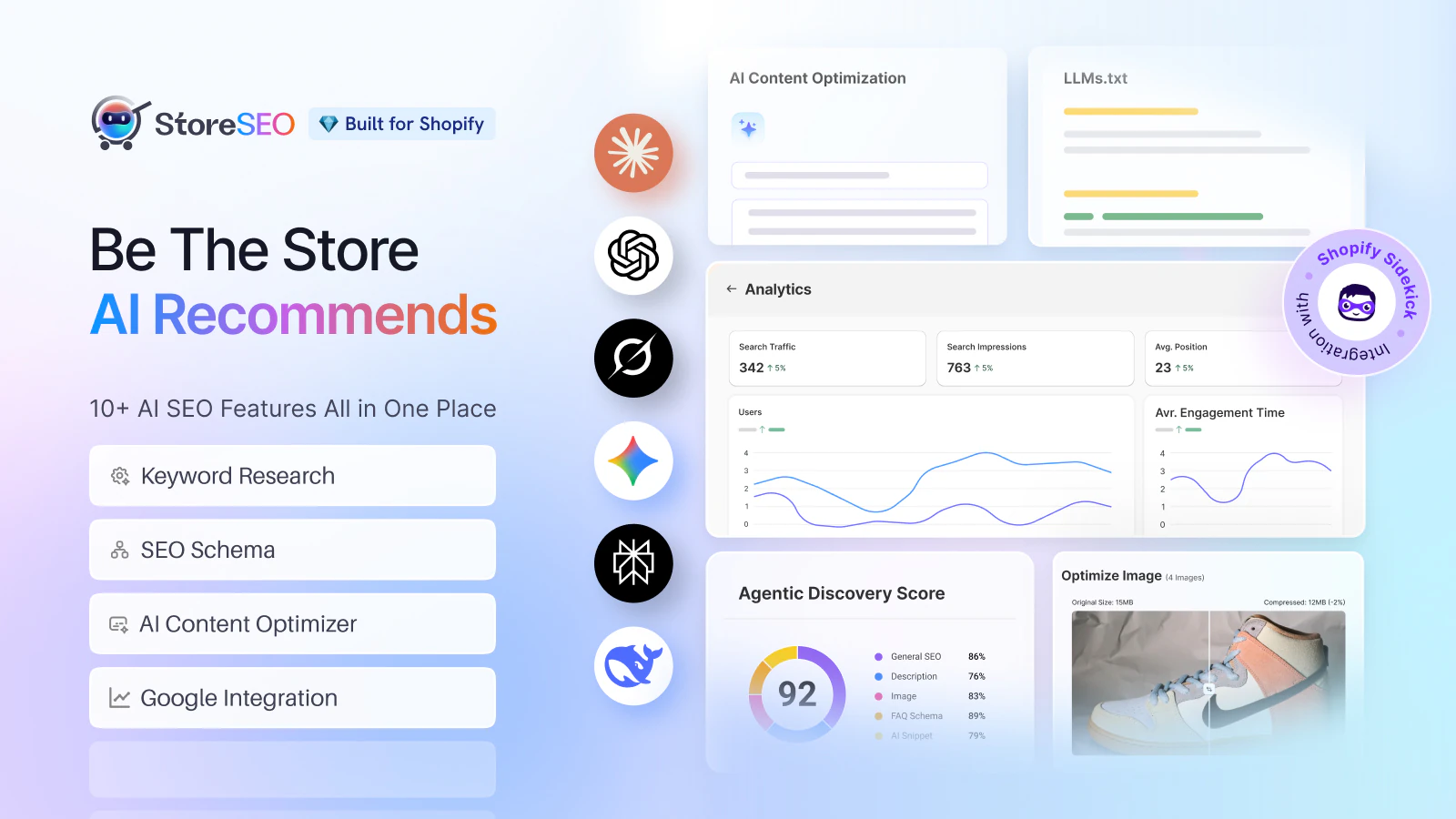
Furthermore, StoreSEO inserts structured JSON-LD schema across your entire catalog, ensuring search engines index product prices, ratings and availability for prominent mobile search results.
Solving Customer Doubts Instantly with StoreFAQ & BetterDocs
Pre-purchase friction evaporates when answers are accessible right at the point of decision. StoreFAQ builds mobile-first accordion FAQs on product pages to resolve immediate questions regarding sizing, materials and shipping.
For broader post-purchase support and order verification, BetterDocs for Shopify provides a dedicated and self-service documentation hub.
Ready to Supercharge Your Shopify Mobile Conversions?
Mobile commerce is no longer the secondary browsing channel of eCommerce; it is the primary storefront of modern digital retail. Treating mobile design as a mere responsive scale-down of desktop layouts costs Shopify merchants substantial revenue every single day.
Explore Storeware’s complete collection of high-performance Shopify apps designed to help merchants and developers create frictionless, high-converting mobile shopping experiences.
If this guide helped you, subscribe for more simple guides, tutorials and tips to grow your Shopify store.