Every visitor who lands on your Shopify store arrives with a question. Some want your shipping timeline. Others need sizing guidance before they commit. A few are ready to buy and need one small reassurance to reach checkout. When those questions sit unanswered, shoppers drift away and rarely return.
This is the moment where support becomes sales. Fast, accurate answers keep momentum alive and move browsers toward purchase. AI-powered customer support makes that speed possible at any hour, across every page, for every shopper at once. StoreFAQ brings this capability to your store through its AI Chatbot, an automated assistant that answers questions in real time using your own store content.
The Hidden Cost of Slow Answers
Online shoppers move fast and decide faster. Industry research consistently places cart abandonment near seventy percent, and a large share of that loss traces back to unanswered questions and hesitation at the moment of decision. A shopper who cannot confirm a return policy or a delivery date will close the tab and look elsewhere.
Traditional support struggles to keep pace. Human teams work set hours, handle one conversation at a time and get buried under repetitive questions. Peak traffic, holiday rushes and late-night browsing sessions all create gaps where no one is available to respond. Every gap is a chance for a sale to slip away.
AI-powered support closes those gaps. It answers the moment a question appears, serves unlimited shoppers at once and never clocks out. This is exactly what the StoreFAQ AI Chatbot delivers.
Meet the StoreFAQ AI Chatbot
The AI Chatbot from StoreFAQ is an automated live chat assistant that responds to customer questions using the content already published on your Shopify store. You choose which content it learns from, and the chatbot generates accurate on-brand replies on its own. There is no scripting of individual answers and no manual tagging of every possible question.
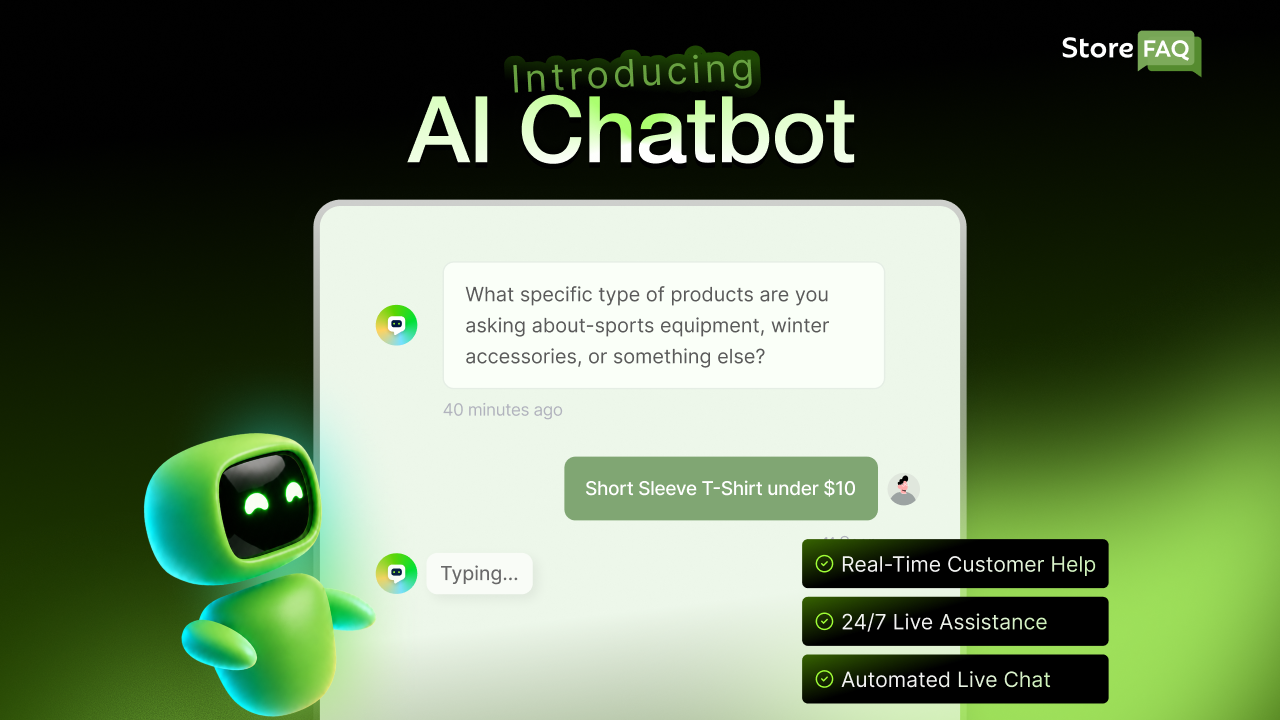
The assistant draws on your real store data. It reads your product details, store policies, FAQs and blog posts, so its replies reflect genuine information such as pricing, availability and product specifics. A shopper asking about the material of a jacket or the timeline for international delivery receives an answer grounded in your actual catalog.
Here is what makes it an impactful feature:
- Instant 24/7 Responses: Customers get answers immediately, even outside business hours.
- Store-specific Accuracy: The AI pulls from your products, policies, FAQs and blogs, so replies match your real inventory and terms.
- Lighter Support Load: Routine questions resolve automatically, freeing your team for complex cases.
- Stronger Conversions: By guiding shoppers, clearing doubts and recommending products, the chatbot recovers sales that would slip away.
- AI Customer Support: Integrates with live chat, FAQs and help centers for seamless assistance.
From Support Tickets to Sales: Why It Works
Speed changes shopper behavior. When answers arrive instantly, hesitation fades and confidence grows. AI customer support makes this possible by giving shoppers the information they need the moment questions arise. A confident shopper is far more likely to complete a purchase.
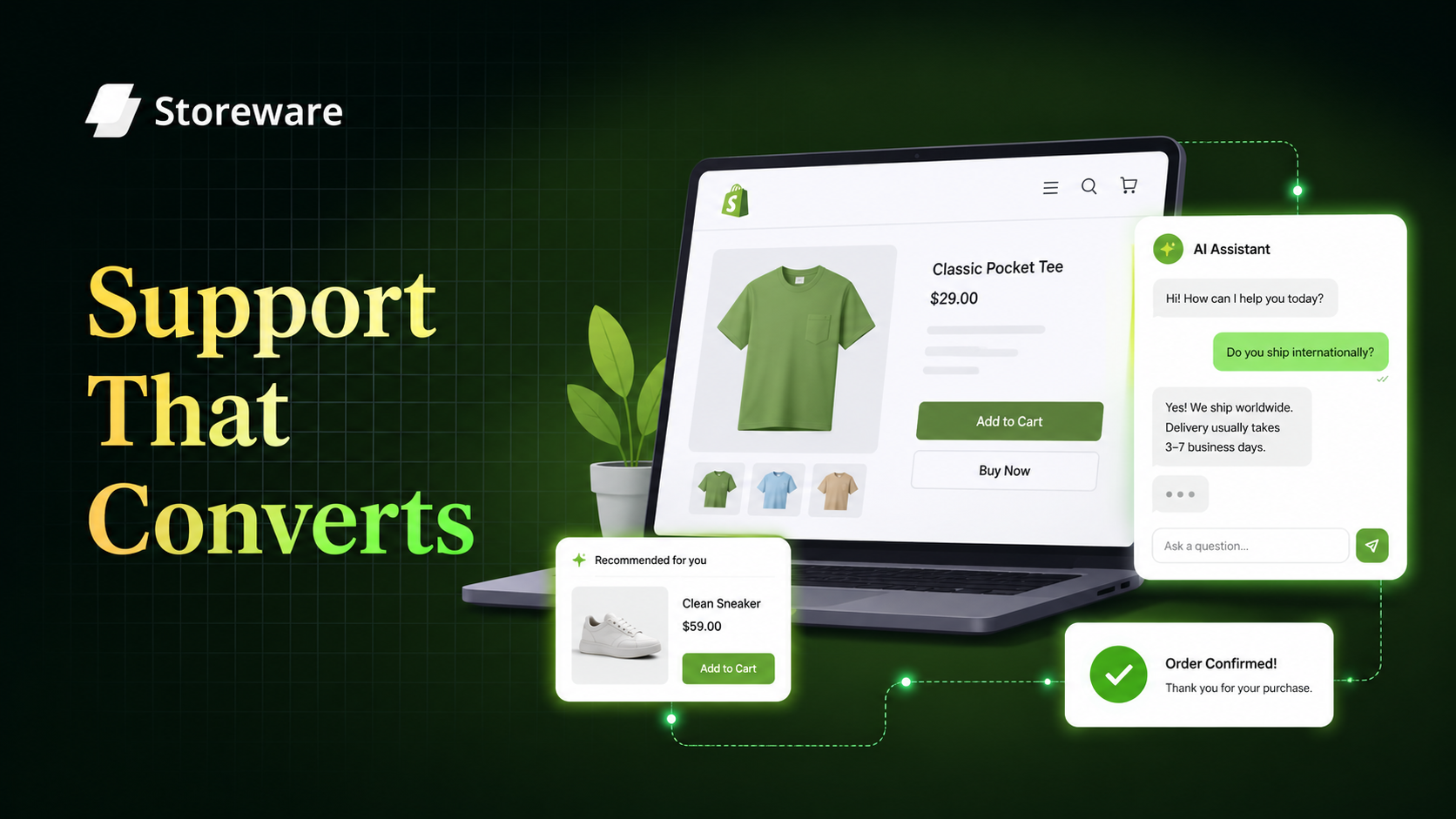
Think about the typical buying journey. A visitor finds a product they like and pauses over a detail. Will it ship in time? Does it come in another size? Can I return it easily? Every pause creates a chance to lose a sale. A Shopify AI chatbot meets shoppers at that moment with clear, accurate answers that keep them moving toward checkout.
The Shopify AI chatbot also works as a virtual sales assistant. It recommends related products, highlights bestsellers and surfaces the exact policy that removes a purchase objection.
Instead of simply resolving support requests, AI customer support helps shoppers make confident buying decisions. Every interaction moves visitors one step closer to completing a purchase, even while handling thousands of conversations at the same time.
How the AI Chatbot Learns Your Store
The intelligence of the chatbot comes from your content. StoreFAQ gives you full control over what the assistant knows and how it presents itself.
Add Your Store Knowledge
In the AI store knowledge section, you describe your brand in your own words: what you sell, who you serve, your tone and your key selling points. This context shapes the personality and priorities of every reply.
Select Your Knowledge Base Sources
You decide which Shopify content types the chatbot may learn from. Options include product details, store policies, FAQs and blog posts, each added as a simple removable chip. Pick the sources that carry the answers your shoppers need most.
Sync And Train
Once you select your sources, the AI agent syncs and learns from that content. The Sync Activity tab shows a progress bar and a breakdown for each source, so you can see what is synced, pending or in need of a resync. Whenever you update a product or policy, a quick resync keeps the chatbot current.
Brand the Experience
You can upload a custom tab icon for the chat launcher and an avatar for the assistant inside the conversation window, so the chatbot feels like a natural part of your storefront.
The full walkthrough lives in the AI Chatbot configuration guide.
Setting Up the AI Chatbot in Minutes
Getting started takes only a few steps.
- Install StoreFAQ: Add the app to your store from the Shopify App Store and open it from the Apps section of your Shopify dashboard. New to the app? Follow the installation guide.
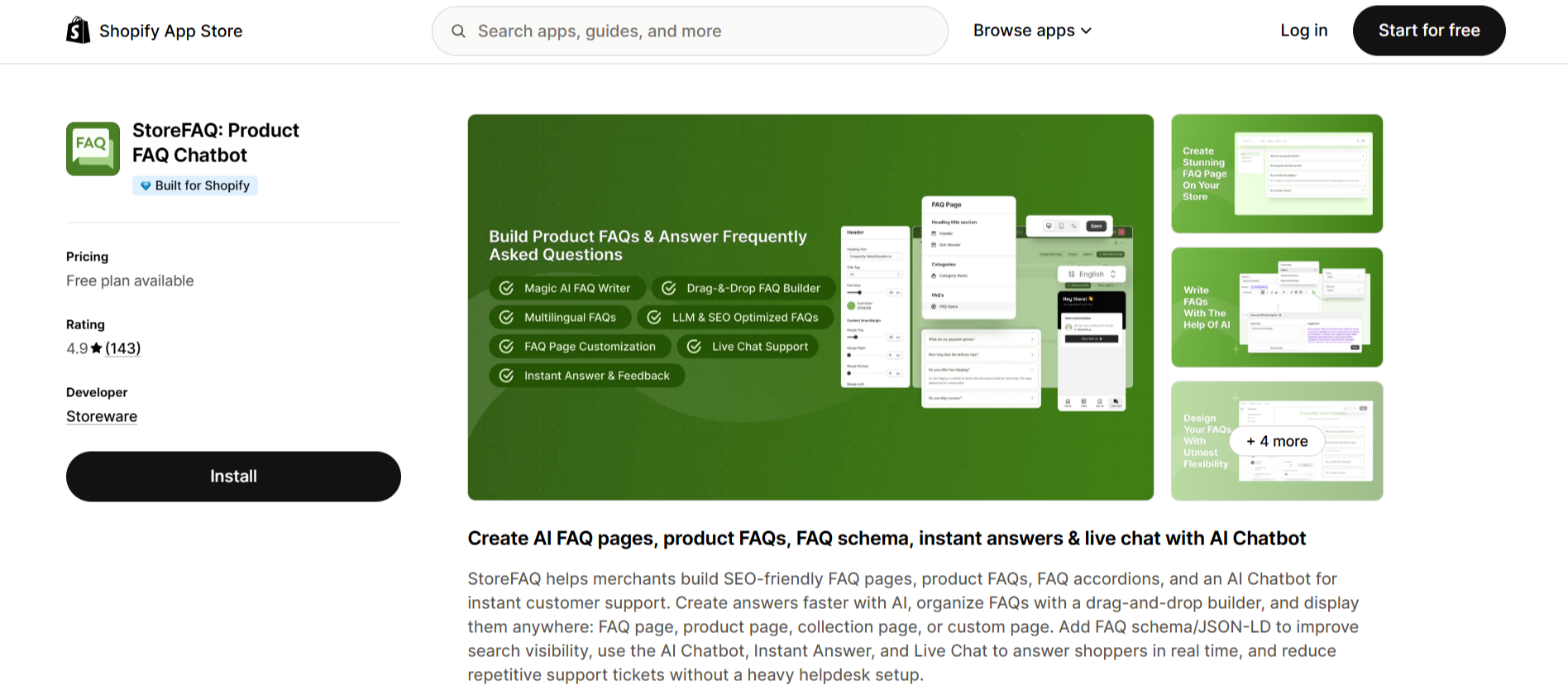
- Enable the chatbot: Go to StoreFAQ → AI Chatbot, turn on the toggle and save.
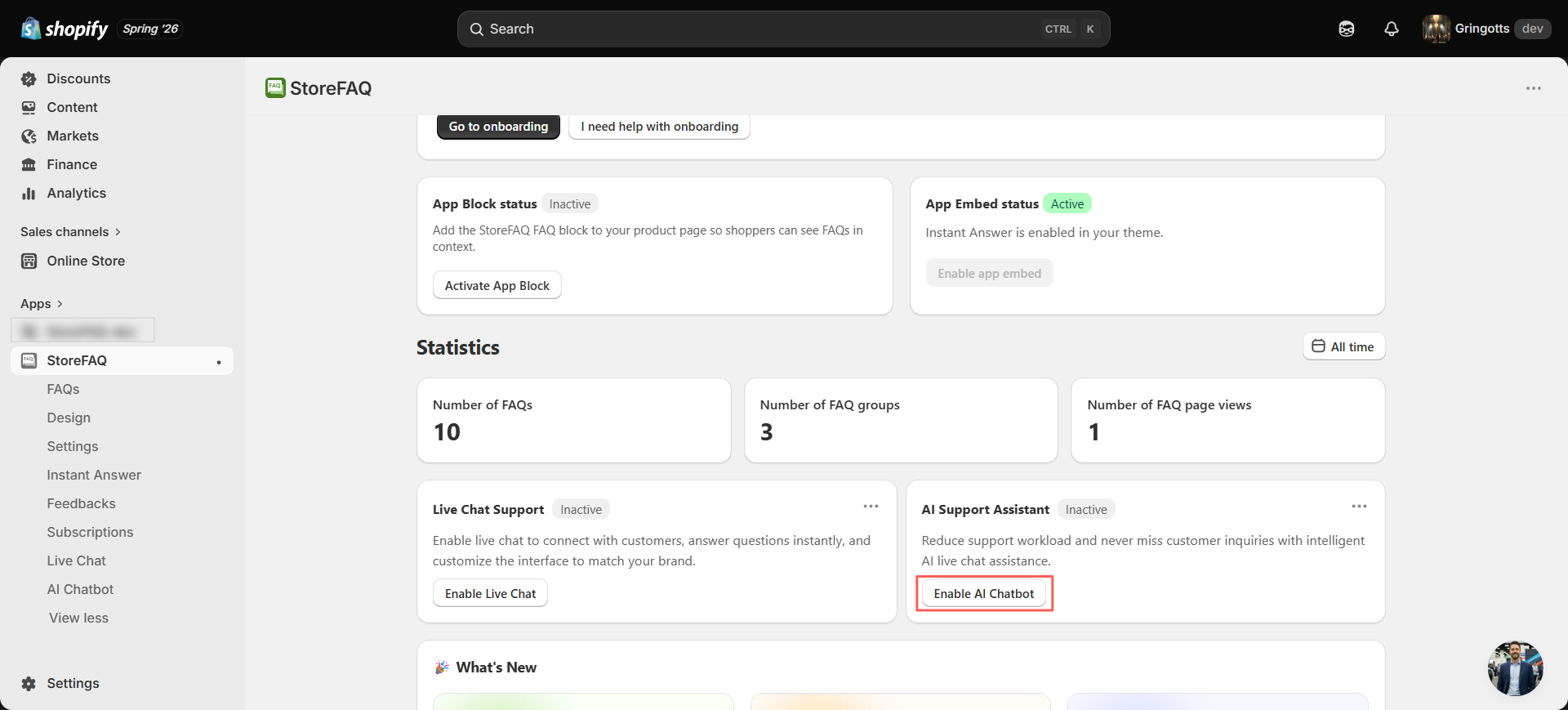
- Describe your store: Fill in the AI store knowledge box with your brand summary, product categories and voice.
- Choose your sources: Select products, store policies, FAQs and blogs in the knowledge base dropdown.
- Let it sync: Watch the Sync Activity tab confirm that your content is trained and ready.
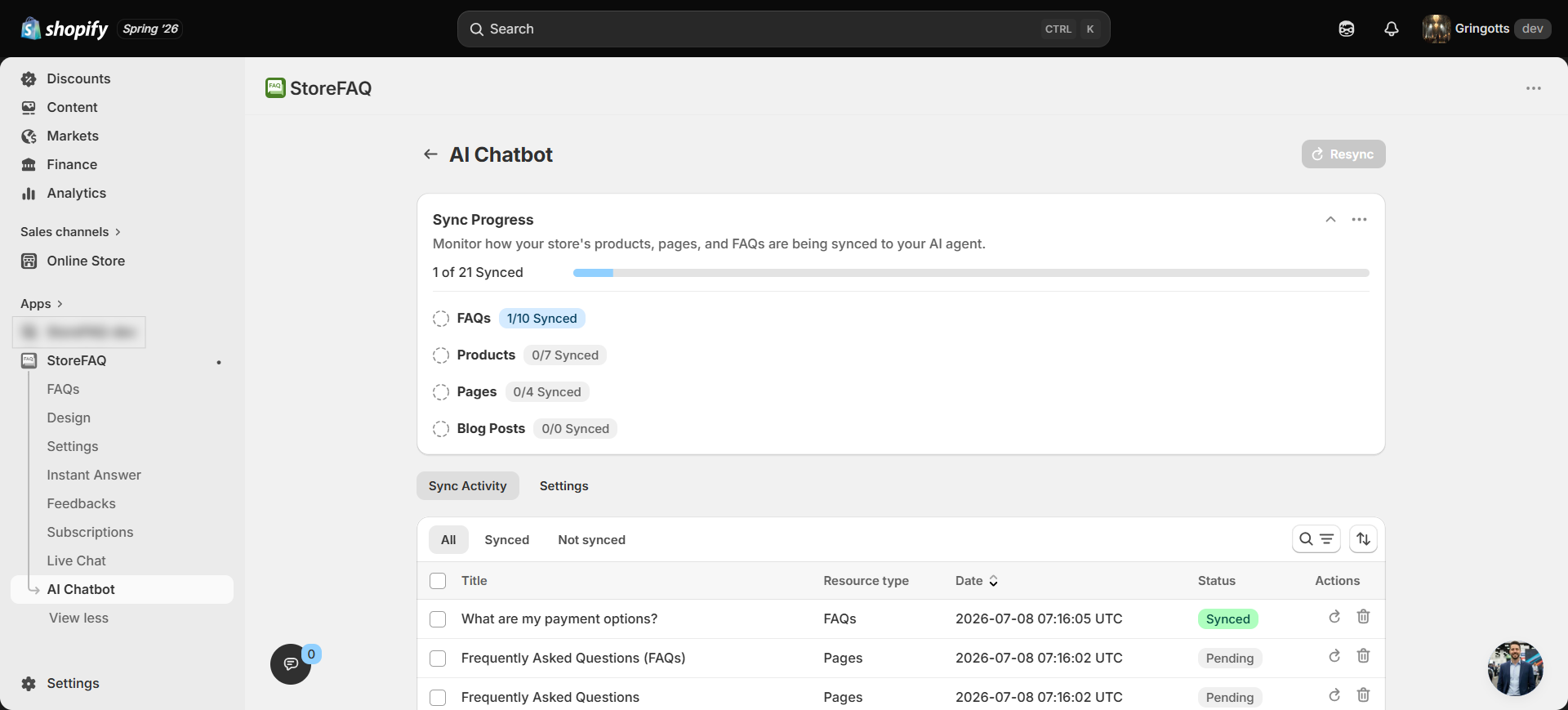
- Go live: The chat launcher appears on your storefront, and the assistant starts answering shoppers on its own.
That is the entire setup. Within minutes, your store gains a round-the-clock assistant that turns questions into completed orders.
Best Practices for Using AI Chatbots
Deploying an AI chatbot is easy. Deploying it well takes intention. A few practices separate strong performers from those who quietly annoy customers.
Feed the chatbot with clear, structured content. Well-written product descriptions, up-to-date policies, and organized FAQs make AI answers dramatically more accurate. Garbage in, garbage out applies as strongly to chatbots as it does to any other system.
- Set Boundaries And Escalation Paths: AI should handle the routine, but escalate confidently to a human when a shopper needs empathy or an exception. A smooth handoff protects both revenue and reputation.
- Match the Tone to Your Brand: If your brand is playful, do not let the bot sound like a legal document. If your brand is premium, avoid overly casual replies. Use the AI Store Knowledge description to signal tone and personality.
- Monitor Conversations Regularly: Review real chatbot interactions weekly to spot missed questions, awkward responses, or gaps in your knowledge base. Continuous refinement is what turns a good chatbot into a great one.
- Combine AI with Proactive Engagement: Trigger the chatbot on high-intent pages such as product detail pages, checkout and long-idle sessions. Passive chat waits; proactive chat converts.
- Localize Where You Can: If you sell internationally, using multilingual support ensures shoppers get help in their language, removing another layer of friction.
Common Mistakes to Avoid While Implementing an AI Chatbot
An AI chatbot can improve customer support and increase sales, but only when it is implemented correctly. Common mistakes such as poor training, generic responses or a lack of human handoff can frustrate shoppers instead of helping them.
Avoiding these issues ensures your AI chatbot delivers accurate answers, creates a better customer experience and builds trust with every interaction. Even solid deployments can underperform when a few common mistakes creep in. Watch for these:
❌ Poor FAQ Quality: If your FAQ content is thin or vague, the chatbot has nothing valuable to pull from. Invest in genuinely useful FAQ entries that reflect real customer questions.
❌ Outdated Information: Prices change, policies evolve, and products come and go. If your knowledge base is not refreshed regularly, the chatbot ends up misleading customers, damaging trust rather than building it.
❌ Over-reliance on AI: No AI, no matter how advanced, replaces human judgment for every scenario. Sensitive complaints, high-value orders, and nuanced feedback deserve a human touch. Design your workflow accordingly.
❌ Ignoring Analytics: If you do not track chatbot performance, resolution rates, escalation frequency, and top questions, you cannot improve it. Treat your chatbot like any other conversion asset: measured, tested, and refined.
❌ Lack of Personalization: Bots that greet every visitor with the same message lose their edge. Use context such as page, product, or referral source to tailor greetings and offers.
❌ Skipping Brand Voice: A chatbot that sounds off-brand feels disjointed. Invest time in defining voice guidelines so the AI reflects the personality that your store’s design and messaging already establish.
Checklist: Launching AI-Powered Customer Support for Shopify
[ ] Audit your current FAQ, policy, and product content for completeness and clarity.
[ ] Choose an AI chatbot solution built for Shopify with native integration.
[ ] Configure store knowledge, brand tone, and content sources.
[ ] Sync product details, FAQs, and policies to train the AI.
[ ] Test conversations across common shopper scenarios before going live.
[ ] Set clear escalation rules for handing over to human agents.
[ ] Monitor analytics weekly, then refine content and prompts based on real interactions.
StoreFAQ: A Complete AI FAQ App for Shopify Customer Support
The AI Chatbot is the centerpiece of a broader support system inside StoreFAQ. Each feature reinforces the same goal of guiding visitors to purchase.
- Live Chat Support lets your team step in for high-value or complex conversations in real time.
- Instant Answers give shoppers a searchable FAQ experience for quick self-service.
- Multilingual FAQ Support presents help content in several languages for a global audience.
- Message Shortcuts speed up live replies with pre-saved responses.
- FAQ Schema helps your answers appear directly in Google search results and improves discovery.
Together, these features cover every stage of the shopper journey, from the first search to the final click. You can explore the complete set on the StoreFAQ features page.
Turn Every Conversation Into a Conversion
Great customer support is no longer a cost center. It is one of the most direct paths to more sales. The StoreFAQ AI Chatbot gives every visitor instant, accurate help drawn from your own store content, so hesitation turns into confidence and browsers turn into buyers. It works all day and all night, scales to any amount of traffic and lightens the load on your team at the same time.
Your shoppers are asking questions right now. Make sure your store has the answers ready. Install StoreFAQ and let AI-powered support start converting visitors today.
For more Shopify growth guides and tutorials, subscribe to the Storeware blog. You might also enjoy our take on why FAQ Schema matters for Shopify AEO and GEO.
Frequently Asked Questions (FAQs)
1. How do I add an AI chatbot to my Shopify store?
StoreFAQ AI Chatbot lets you quickly train your chatbot using your FAQs, products and store policies, so it can start helping customers right away.
2. Can an AI chatbot answer customer questions automatically?
StoreFAQ AI Chatbot provides accurate answers based on your Shopify store’s knowledge base and FAQs.
3. Can an AI chatbot recommend products and increase sales?
StoreFAQ AI Chatbot uses your Shopify product data to deliver relevant product recommendations during conversations.
4. How do I train an AI chatbot with my Shopify store data?
StoreFAQ AI Chatbot learns from your existing store knowledge to provide fast and reliable responses.
5. When should an AI chatbot transfer customers to live chat?
With StoreFAQ, AI Chatbot handles routine questions while Live Chat helps your team manage more complex conversations.