

AI search is changing how customers discover products online. Instead of showing a list of links, platforms like Google AI Overviews, Perplexity and Bing Copilot are increasingly providing direct answers and recommendations.
For Shopify merchants, that means visibility now depends on more than traditional SEO. Your content must also be easy for AI systems to understand and trust.
One of the simplest ways to support both Answer Engine Optimization (AEO) and Generative Engine Optimization (GEO) is FAQ Schema. But is it now a must-have rather than a nice-to-have? Let’s find out.
TL;DR
| Topic | Key Takeaway |
| What is FAQ Schema? | Structured data that identifies questions and answers for search engines and AI systems |
| Why does it matter for AEO? | AI engines prefer content with clearly defined answers |
| Why does it matter for GEO? | Generative systems use structured information to build recommendations |
| Does Google still support it? | Yes. FAQPage markup remains valid and useful despite rich result changes |
| Where should it be used? | Product pages, collection pages, guides and FAQ pages |
| Is implementation difficult? | No. It can be added manually or through Shopify apps |
What Is FAQ Schema & How Does It Work?
FAQ Schema is a structured data format defined by Schema.org under the FAQPage type. It tells search engines and AI systems which part of a page is a question and which part is the matching answer. People recognize a FAQ section instantly but machines often cannot without markup, they have to guess at the relationships between pieces of content.
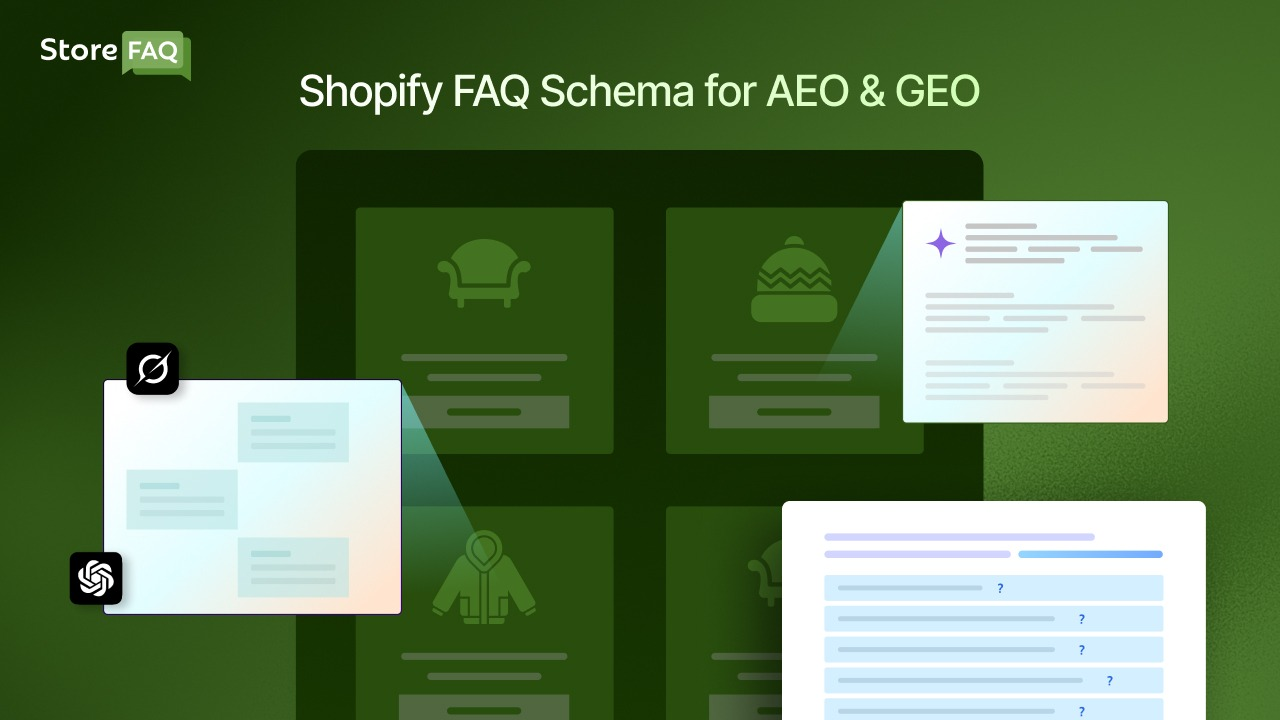
It is usually added using JSON-LD, a machine-readable format recommended by both Google and Schema.org. The markup spells out the question, the answer, and the link between them, so search engines receive clear information instead of having to infer it. That clarity helps across both traditional search and AI-powered platforms.
How AI Search Changed Product Discovery on Shopify
For years, SEO was about one thing: rank higher and earn the click. Rankings still matter, but the way people use search is shifting toward answers instead of links. Shoppers now ask questions and get responses generated right inside the search interface, which changes how visibility is earned.
The contrast between the two models is worth understanding:
| Traditional search | AI search |
| Link-focused | Answer-focused |
| User compares sources | AI compares sources |
| Ranking determines visibility | Citations determine visibility |
| Website discovery | Information extraction |
| Click-first experience | Answer-first experience |
How FAQ Schema Supports AEO And GEO
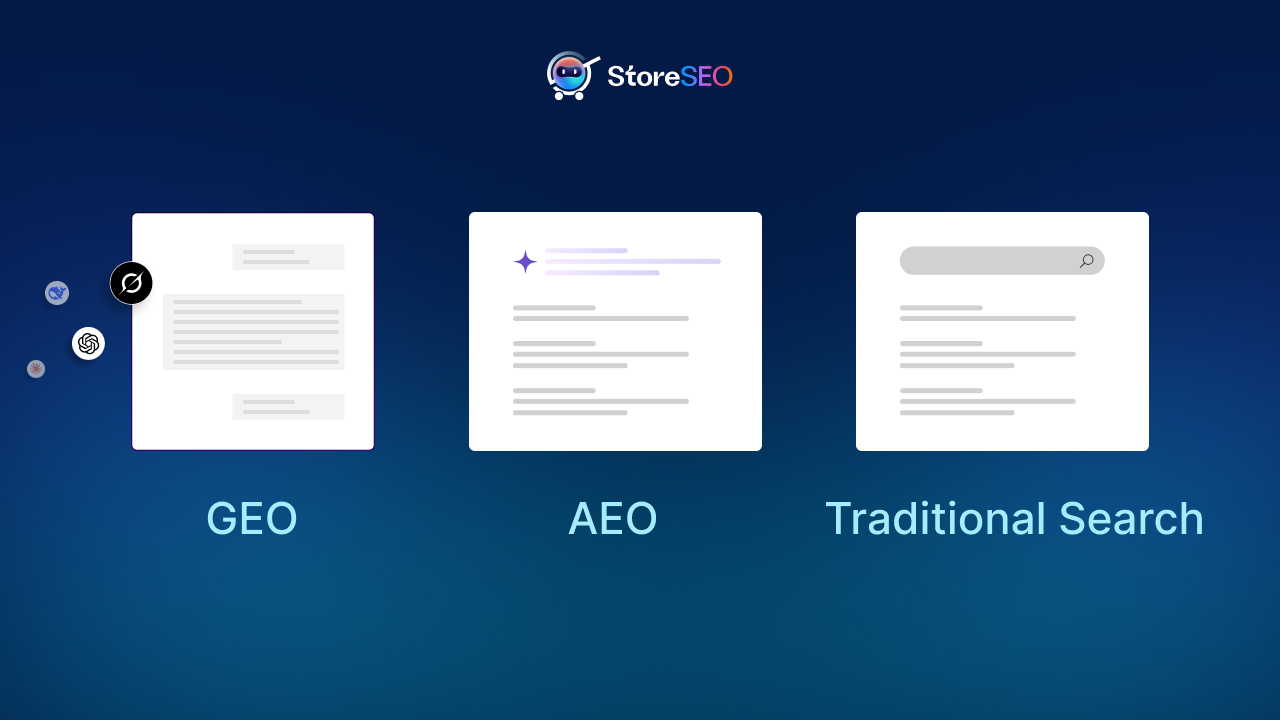
AEO and GEO sound similar, but they solve different problems. AEO helps your store become the answer a shopper sees, while GEO helps your products become part of the recommendation an AI generates. FAQ Schema strengthens both, and the sections below explain how.
AEO: Becoming the Answer
Answer Engine Optimization is about formatting content so AI systems can surface it as a direct answer. The goal is not just to appear in results, it is to be the answer itself. AI systems favor information that is easy to understand, clearly structured, factually accurate, and directly relevant, and FAQ Schema satisfies all four by labeling the question and answer explicitly.
The strength of the answer matters just as much as the markup. Compare these two:
Weak: “Our premium insulated bottle is designed with exceptional technology that helps maintain beverage temperatures.”
Strong: “This bottle keeps drinks cold for up to 24 hours and hot for up to 12 hours using double-wall vacuum insulation.”
The second answer is clearer for both shoppers and AI. To write FAQ answers that work this way, answer the question immediately, keep responses to roughly 40–60 words, skip the marketing language, and lead with factual product details.
GEO: Becoming the Recommendation
Generative Engine Optimization focuses on visibility inside AI-generated recommendations, summaries and buying guides. When someone asks ‘What’s the best reusable water bottle for hiking?’, the AI builds its answer from many signals at once: specifications, reviews, brand information, product descriptions and structured data.
FAQ content often holds exactly the details these systems need, like materials, dimensions, sustainability claims, warranty terms and compatibility.
Picture two stores selling similar hiking backpacks. Store A offers only a product description, while Store B adds product schema and FAQ Schema on top of it. When AI evaluates both, Store B provides far more structured context, which makes its information easier to understand and more likely to be pulled into a recommendation. That advantage is why FAQ Schema contributes directly to GEO success.
FAQ Schema, Trust & Google’s E-E-A-T
AI systems are not only hunting for answers, they are also judging trust. Google’s quality framework, E-E-A-T (Experience, Expertise, Authoritativeness, Trustworthiness), plays a growing role in how content is evaluated. FAQ Schema does not improve E-E-A-T on its own but it helps expose the trust signals you already have more clearly.
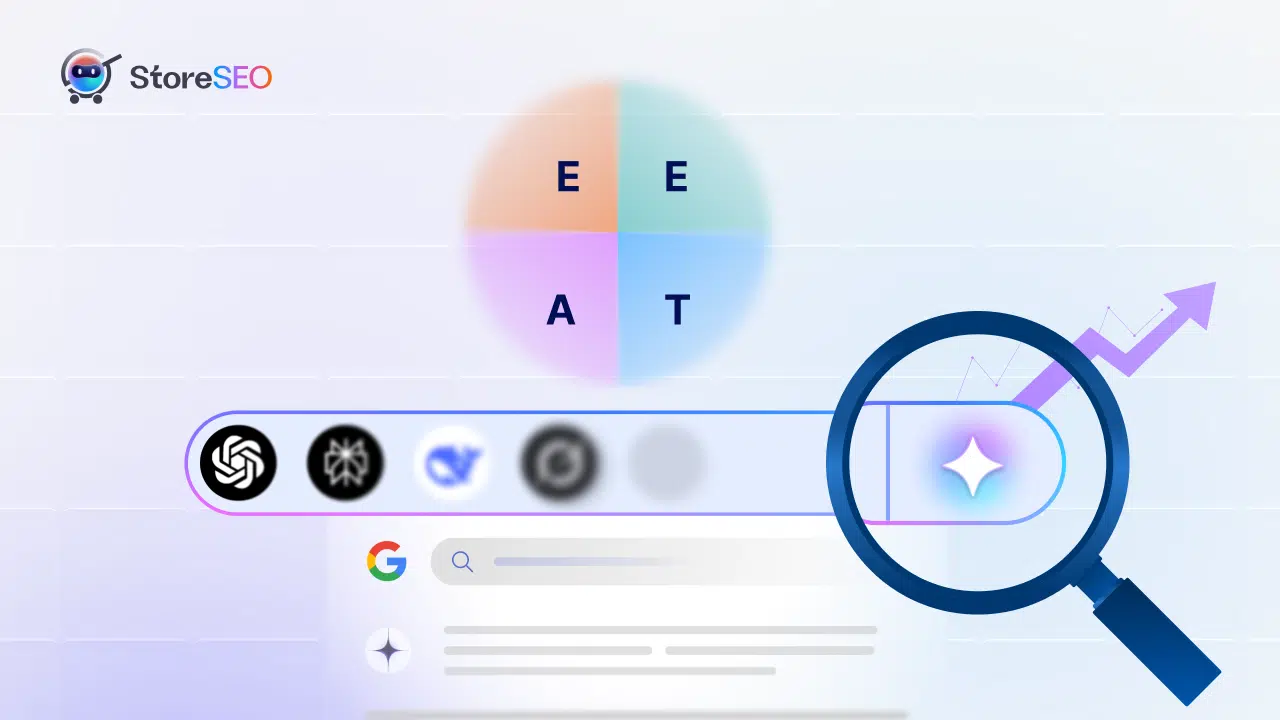
Structured content makes expertise easier to spot. A product FAQ that explains material certifications, manufacturing standards, warranty policies, or safety compliance signals transparency, and when that content is marked up, AI can interpret it with more confidence. To build stronger signals, use accurate information, update FAQs regularly, answer genuine customer questions and avoid exaggerated claims. High-quality content plus clean markup is the combination that earns AI trust.
Do FAQ Rich Results Still Matter?
One of the biggest misconceptions in eCommerce SEO is that FAQ Schema stopped mattering when FAQ rich results disappeared. That belief leads some merchants to strip out markup that still provides value, so it is worth clearing up.
Google significantly reduced FAQ rich results; the expandable dropdowns that once appeared beneath search listings became rare for most commercial sites. What changed, though, was only the visual feature. The structured data itself remains valid and still helps search engines understand content, improves machine readability, and provides context.
That distinction matters more than ever as search becomes AI-driven, because these systems rely heavily on structured information. Removing FAQ Schema just because the dropdowns vanished only reduces clarity for both search engines and AI platforms, the opposite of what you want.
Where to Use FAQ Schema on Shopify
Not every page needs FAQ markup. Focus on the places where shoppers actively look for information, since that’s where structured answers do the most good. A few page types stand out.
- Product pages are the top priority, since questions about sizing, materials, compatibility, shipping, and returns directly influence purchase decisions.
- Collection pages can use FAQs to explain category differences, selection criteria and common use cases.
- Blog posts and buying guides benefit from FAQ sections that reinforce key takeaways and add structure.
- Dedicated FAQ pages remain useful for brand questions, store policies and support information.
How to Add and Validate FAQ Schema on Shopify
Adding FAQ Schema to your Shopify store helps search engines and AI-powered search platforms understand your FAQ content more accurately. It turns your questions and answers into structured data, making them easier to crawl, interpret and potentially surface in search experiences.
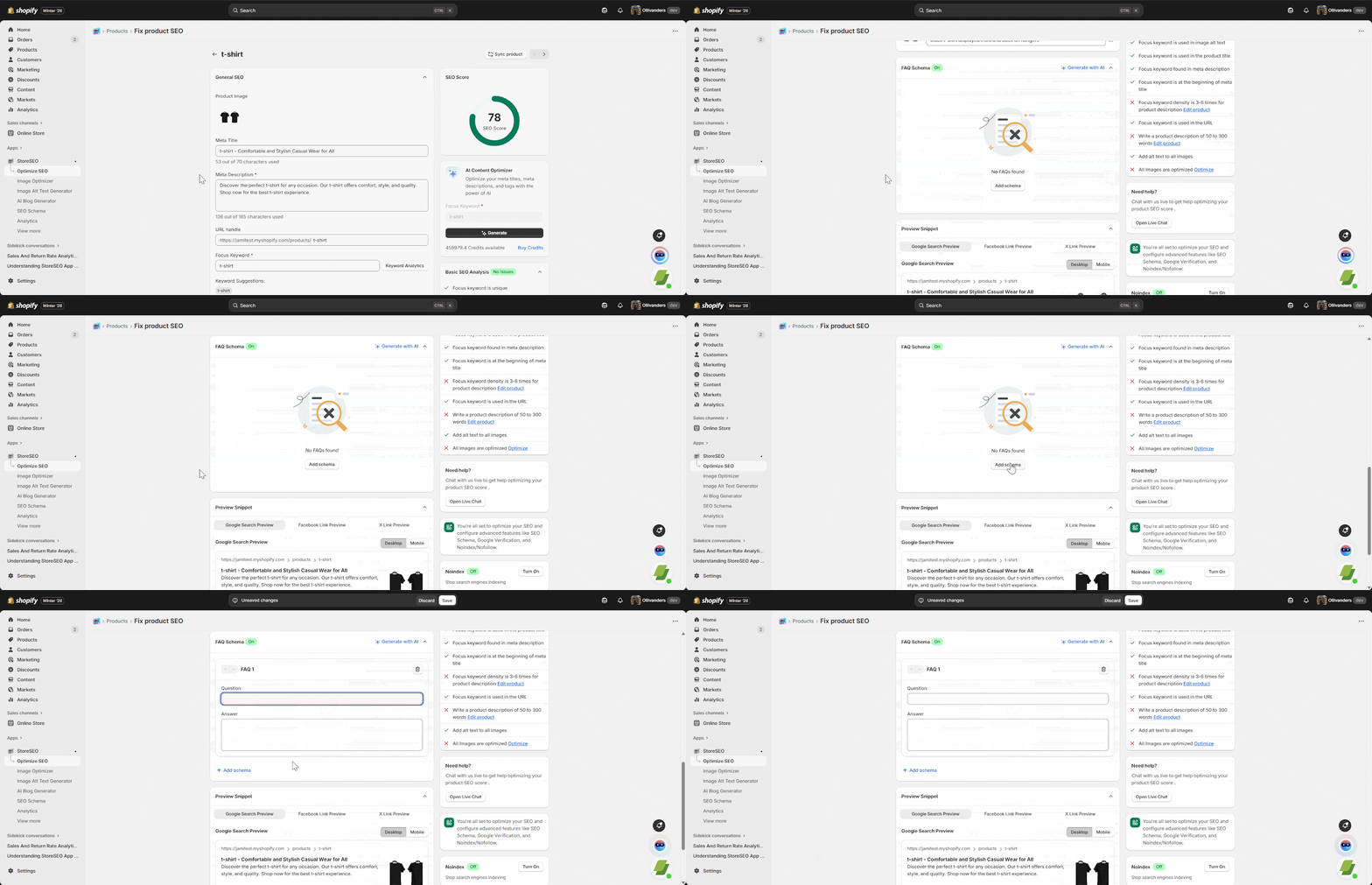
Method 1: Add FAQ Schema Using StoreSEO
If you are using StoreSEO, FAQ Schema setup typically works through product SEO and structured data settings:
- Open the StoreSEO app from your Shopify admin.
- Select the SEO Schema option from the dashboard menu.
- Locate FAQ Schema in the list and click Turn on to activate it.
- Click on Optimize SEO and select the specific product you want to target.
- Scroll to the FAQ schema section on the product page and click Add Schema.
- Manually input your questions and answers or click Generate with AI to let the system draft them for you.
- Hit Save
StoreSEO then generates FAQ structured data automatically based on the configured FAQ content and product SEO settings.
Method 2: Enable FAQ Schema Using StoreFAQ
StoreFAQ offers a no-code way to generate FAQ Schema for your Shopify store.
Step 1: Install StoreFAQ
Install the StoreFAQ app from the Shopify App Store and complete the initial setup.
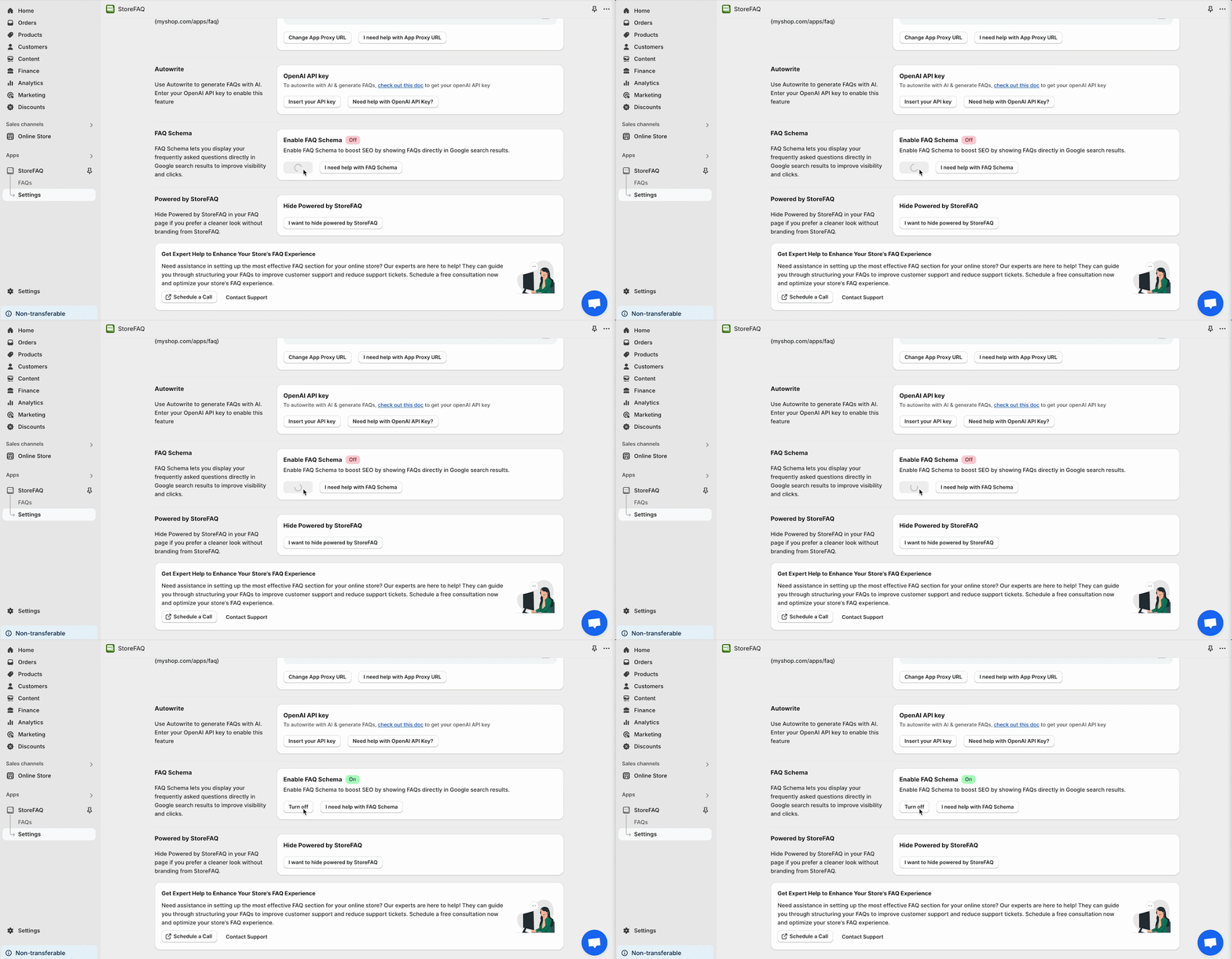
Step 2: Enable FAQ Schema
From the StoreFAQ dashboard:
- Go to Settings
- Scroll to the FAQ Schema section
- Click Turn On to enable the feature
Step 3: Add the FAQ Block
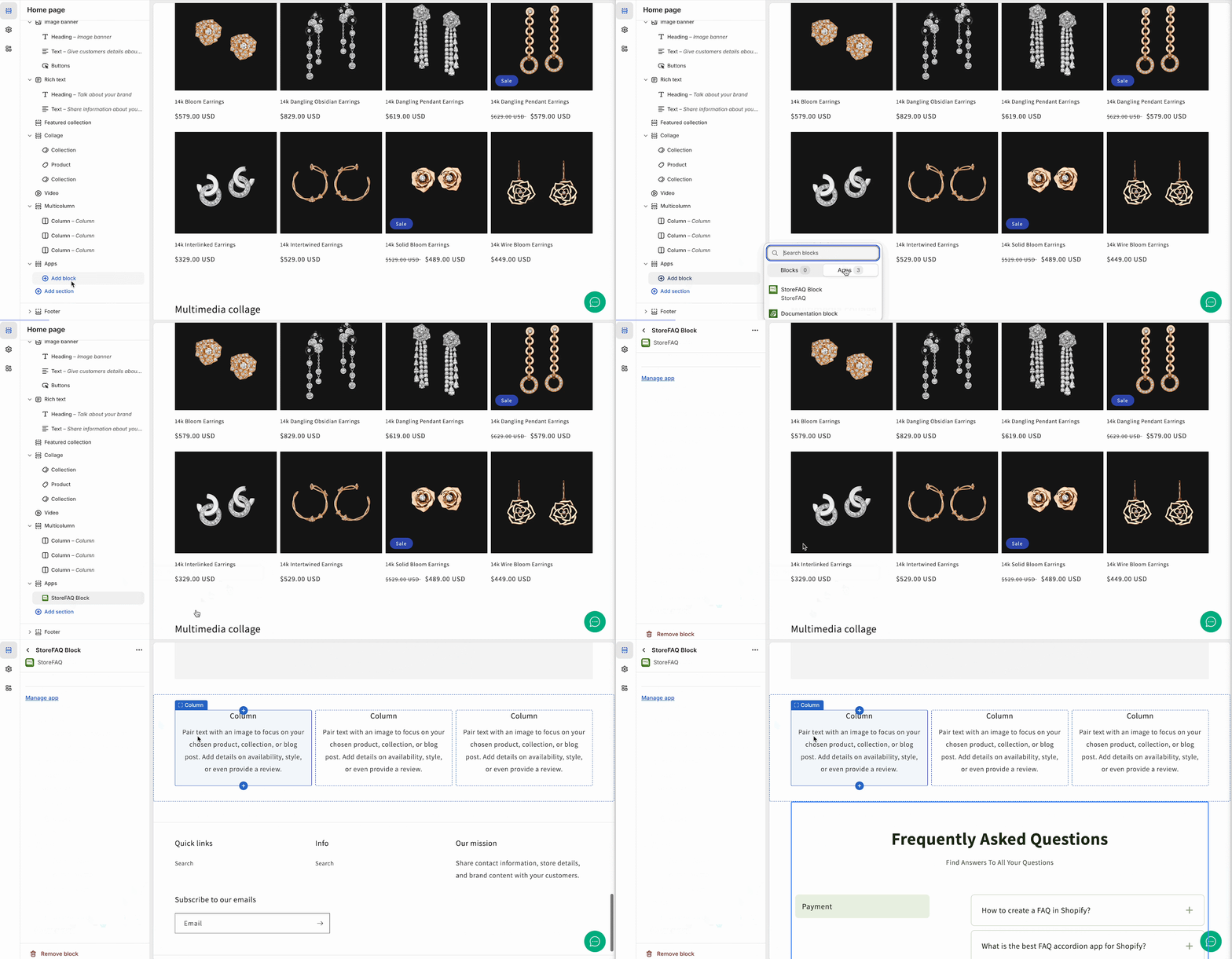
Next, open your Shopify Theme Customizer and add the StoreFAQ App Block to the page where you want your FAQs to appear. Save your changes.
Once the FAQ block is displayed on a page, StoreFAQ automatically generates matching FAQ Schema based on the visible FAQ content. Any future updates to your FAQs are reflected in the schema automatically.
How to Validate FAQ Schema
After adding FAQ Schema, always verify that the markup is implemented correctly.
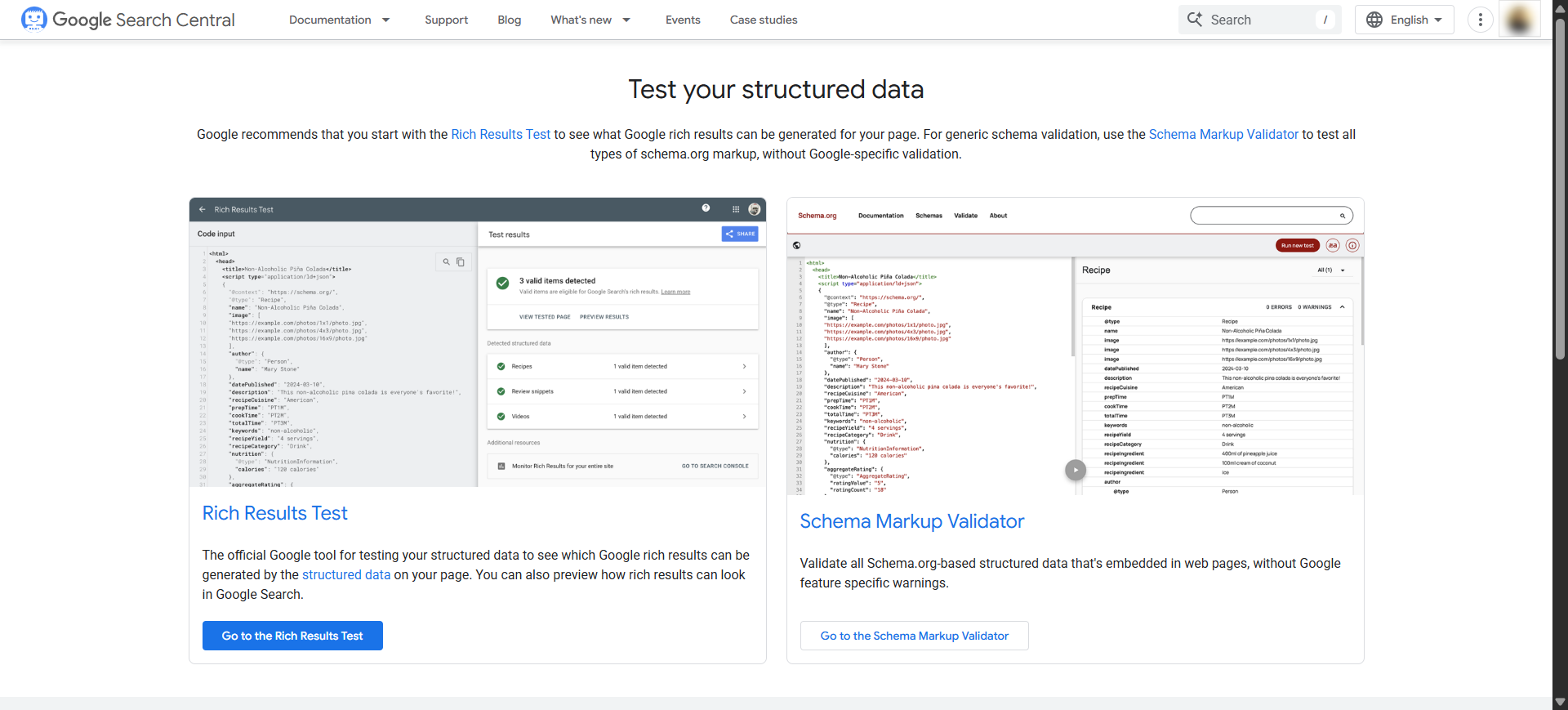
Use one of these free validation tools:
Simply enter the page URL and run the test. The tool will show whether your FAQ Schema is valid and identify any errors or warnings that need attention. StoreFAQ also recommends validating your schema after implementation to ensure search engines can read it correctly.
FAQ Schema Best Practices And Mistakes to Avoid
Adding markup is only half the job; the content inside it has to be good, too. A few habits make your FAQs far more useful to AI and a few common errors quietly undermine them. Keep these in mind as you build and maintain your FAQs.
Do these things:
✅ Build FAQs around real customer questions pulled from support tickets, reviews, Search Console, and site search.
✅ Keep answers concise and direct, with minimal fluff.
✅ Write like an informative response, not an advertisement. Factual content is easier to trust and cite.
✅ Update content whenever products or policies change.
Avoid these mistakes:
❌ Marking up content that is not actually visible on the page.
❌ Using generic questions that do not reflect genuine customer concerns.
❌ Writing overly promotional answers when AI favors plain information.
❌ Forgetting maintenance and letting product details go stale.
The Future of FAQ Schema in AI Search
Structured content is only going to matter more as search keeps evolving toward AI-driven experiences. The reason is simple: these systems depend on machine-readable information, and FAQ Schema is one of the cleanest ways to provide it. Several trends point in the same direction.
AI Overviews continue to expand across search, and structured FAQs help those summaries understand your content. Conversational search is growing as people ask questions in natural language, which lines up neatly with the question-and-answer format. AI shopping assistants and product recommendation engines both need accurate, well-organized product information, exactly what a structured FAQ provides.
Put together, these shifts make FAQ Schema a sensible investment for the search landscape ahead.
The AI Search Shift Is Here, Ensure Your Visibility
AI-powered search is reshaping how customers discover products, compare brands, and decide what to buy, and success increasingly depends on whether AI systems can understand and trust your content. FAQ Schema makes that easier by adding clear structure, improving interpretation, and supporting both your AEO and GEO efforts. The dropdown rich results may be mostly gone, but the need for machine-readable content is stronger than ever.
The best part is that getting started is straightforward. Identify your highest-value product pages, add 3-5 genuine customer questions, structure them with FAQPage markup, validate the result and keep it updated over time.
Wrapping up! If this blog helped you, subscribe for more simple guides, tutorials and tips to grow your Shopify store.